
Best Kling AI Alternatives in 2026 (Tested by Use Case)
Kling AI alternatives are worth serious attention in 2026 because Kling itself, despite holding the top benchmark score among all AI video models, has built a reputation for frustrating the creators who rely on it most. This article covers the five strongest kling ai alternatives available right now, evaluated by use case rather than by a single ranking, so you can match the tool to the actual problem you are trying to solve.
Why Creators Are Looking for Kling AI Alternatives
Kling 3.0 currently holds an ELO benchmark score of 1,243, placing it ahead of Google Veo 3.1, Runway Gen-4.5, and Pika 2.2 across the AI video generation community’s most cited independent rankings. The output quality, particularly for human motion, fluid dynamics, and environmental effects, is not in serious dispute.
The frustration comes from the business side of the product.
The credit system is the most consistent complaint from paying users. One Reddit thread described the Pro plan as “brutal for iterations,” with the cost per 15-second test clip making it difficult to experiment freely.
The deeper problem is that failed generations consume credits without automatic refunds. Multiple users across Trustpilot and Reddit have documented a 30 to 40 percent failure rate during peak hours, which means the effective credit value is meaningfully lower than advertised. Kling’s Trustpilot average sits at 2.8 out of 5 stars, and billing practices intro pricing that silently increases at renewal, and credits that expire monthly account for a significant share of the complaints.
There is also a documented “99% completion bug” where a video reaches the final stage of rendering but fails to complete, consuming credits in the process.
Beyond billing, content censorship is a real constraint for some creators. As a Chinese-regulated platform, Kling blocks prompts related to specific political topics. TechCrunch documented this at launch, noting that prompts like “Democracy in China” or references to Tiananmen Square return a non-specific error message. For most commercial creators this will never come up. For documentary, editorial, or politically adjacent content work, it is a practical limitation.
Finally, Kling is a standalone video generation tool. Users who need scripting, voiceover, audio layering, or multi-format editing have to stitch together separate platforms around it.
These are the conditions that push creators to look elsewhere not dissatisfaction with video quality, but friction in daily use, billing unpredictability, and workflow gaps.
The Best Kling AI Alternatives for Different Use Cases
Each tool below was selected based on documented user feedback, benchmark comparisons published in 2025 and 2026, and the specific gap it fills relative to Kling AI Alternatives. A tool that ranks lower on benchmarks can still be the right choice if it fits your workflow, budget, or content type better.
Runway Gen-4.5 Best for Character Consistency and Production Teams
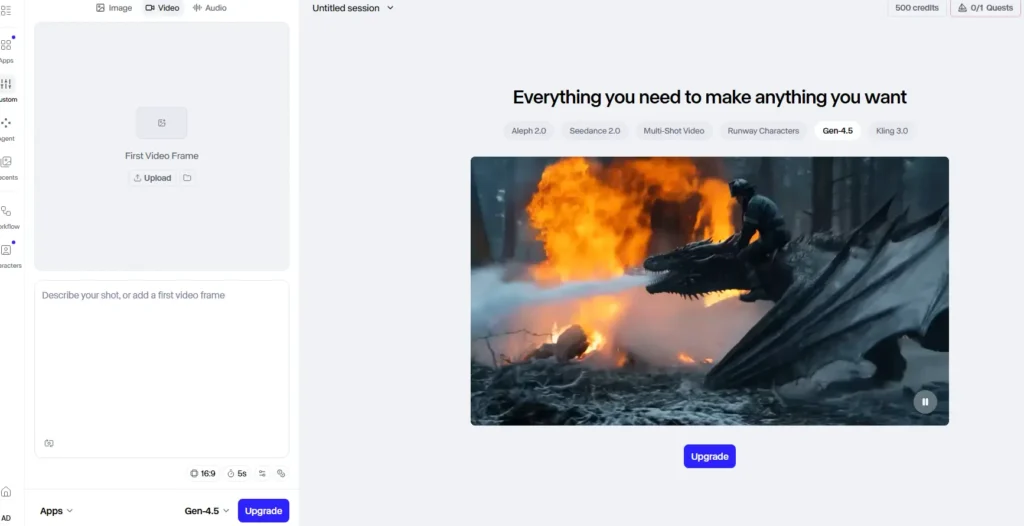
Runway is the tool most frequently compared to Kling in side-by-side tests, and the comparison produces a clear split. Kling outperforms Runway on environmental motion water, smoke, fabric, and fluid dynamics at equivalent prompt complexity. Runway ai outperforms Kling on the feature that matters most for narrative content character consistency across scenes.
Runway’s Gen 4 References allows users to upload multiple images of a character and maintain their visual identity across different shots. Kling AI lacks this feature in the same form. Each Kling generation is independent, which works for standalone clips but breaks down in multi-scene projects.
In a Tom’s Guide face-off testing both tools across complex camera motion, macro human movement, and difficult-to-render scenes, Runway and Kling were described as “largely comparable in terms of available features and performance,” with the key differentiators being Kling’s Motion Brush (exclusive to Kling) and Runway’s video-to-video editing (exclusive to Runway at equivalent quality).
Runway’s interface is consistently described as more approachable for teams that are not AI-video native. Generation speed in Turbo mode is faster than Kling, which matters when you are iterating on multiple versions of a scene.
Where Runway falls short is cost at scale. Runway starts at $12/month, but the Unlimited Explore plan runs $95/month comparable to Kling’s Premier plan at $92/month for 8,000 credits. At higher tiers, users on X and Reddit noted that Runway’s generation limits inside the unlimited plan (two simultaneous generations) can slow down production for teams working at volume.
Best for Agencies, brand studios, and content teams producing multi-scene narrative video who need character consistency and a familiar editing interface.
Watch out for The Unlimited plan’s two-simultaneous-generation cap can bottleneck team workflows at peak hours.
Google Veo 3.1 Best for Cinematic Realism and Native Audio
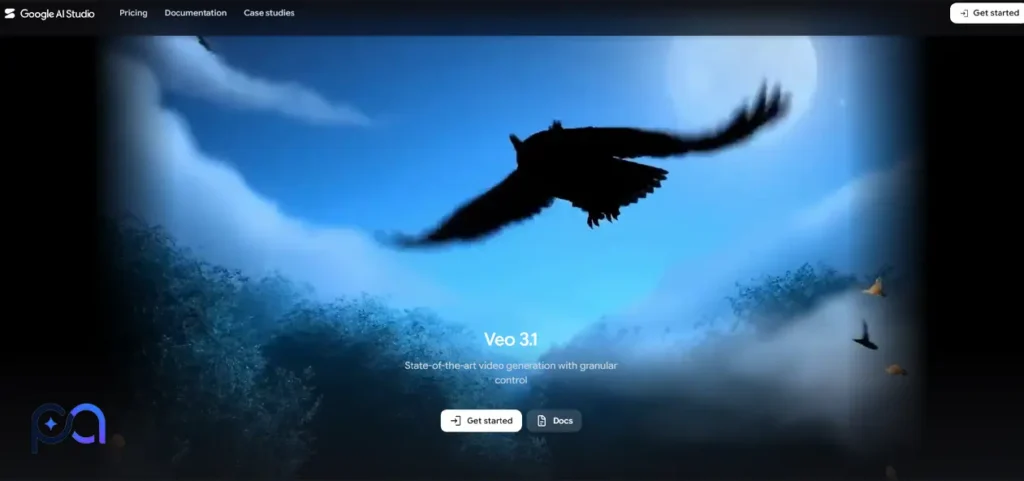
Veo 3.1 holds a distinct advantage that no direct competitor has matched as of mid-2026 native audio generation. A clip of someone walking on cobblestones generates footstep sounds. A thunderstorm generates synchronized rain and thunder. This is not an afterthought layered in post the audio generates as part of the video output.
For creators producing content where the final deliverable needs to feel complete without a separate sound design pass, Veo is in a category of its own. Kling 2.6 added native audio in December 2025, but multiple reviewer comparisons in 2026 place Veo’s audio integration as more sophisticated, particularly for ambient and environmental sound.
The quality difference on photorealistic human subjects is less decisive. One analysis put it plainly Kling delivers 80 to 90 percent of Veo 3’s video quality at 30 to 40 percent of the cost.
The practical barrier to Veo 3.1 is access and pricing. Full consumer access runs through Google AI Ultra, Google’s premium subscription tier. Developer access goes through Vertex AI with per-second billing of approximately $0.35 to $0.50 per second of video. Geographic restrictions mean full access is limited primarily to the US and select markets a real constraint for global creators. Free access through Google AI Studio exists but is limited by availability, region, and queue rules.
Best for Filmmakers, documentary creators, and advertisers who need cinema-grade realism with audio included in the final output.
Watch out for Veo’s generation quota on the Google AI Ultra subscription may not be sufficient for active creators, requiring pay-per-use supplements that add up quickly.
Seedance 2.0 Best for E-Commerce and Product Video
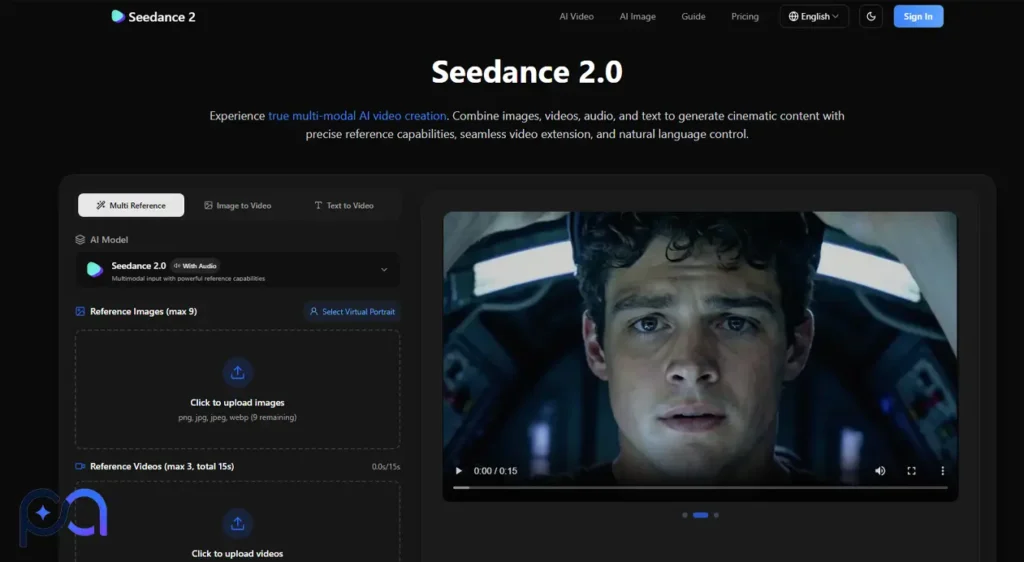
Seedance 2.0 launched in early February 2026 and immediately topped the community benchmarks, reaching an ELO score of 1,269 on text-to-video and 1,351 on image-to-video at launch placing it above Kling 3.0, Veo 3, and Runway Gen-4.5 at the time.
Two months of community testing after that launch settled on a clearer picture of where Seedance specifically earns its position. The standout capability is frame consistency for branded elements. Seedance 2.0 preserves product details, logos, and text across frames more reliably than Kling at equivalent prompts. For e-commerce teams producing product ad clips, that detail preservation is the difference between a usable clip and one that requires regeneration.
In cinematic and fantasy sequences, the output quality is strong. In abstract or highly stylized content, several reviewers noted that Pika or Hailuo produce more distinctive results for that specific aesthetic.
Seedance’s pricing is competitive with Kling at standard tiers. It is not always the cheapest option for high-volume production, but for product-focused teams producing consistent branded video, the per-clip value is strong given the lower regeneration rate compared to Kling’s documented peak-hour failure rate.
Best for E-commerce teams, product marketers, and creators who need logos, text, and product details to hold across frames reliably.
Watch out for For abstract artistic styles or high-volume daily generation, Pika or Hailuo may offer better cost efficiency.
Pika 2.2 Best for Social Media Effects and Low-Budget Iteration
Pika occupies a different position in this field than the other tools on this list. It is not competing with Kling on raw video generation quality. Its physics simulation and photorealism trail behind Seedance 2.0, Kling, and Veo. What Pika does differently is stylized creative transformation.
The Pikaffects system applies visual transformations crush, melt, explode, inflate that have become a reliable format for viral social content. The Scene-to-Scene feature transforms existing footage into entirely new visual styles without requiring a full regeneration. Pikaframes adds first-and-last-frame control, which is useful for transitions and stop-motion style output.
Pika’s Lip Sync handles dialogue overlay without requiring a full video regeneration, making it practical for talking-head content and short social clips at a fraction of the cost of Kling’s built-in lip sync feature.
At $8/month for the Standard plan, Pika is one of the most affordable tools on this list. For a creator producing TikTok or Reels content who needs stylized effects and social-optimized output rather than cinematic realism, the price difference over Kling is significant. Users on Reddit consistently praise the iteration speed the lower credit cost per generation means you can test more variations without watching your monthly budget evaporate.
The limitation is ceiling. Pika does not produce the kind of output that would pass for professionally shot footage. For commercial video or brand content where realism matters, Kling or Runway remain the stronger choice.
Best for Social media creators, TikTokers, and Reels producers who need stylized effects, fast iteration, and a genuinely affordable plan.
Watch out for Raw generation quality and physics simulation trail behind Kling, Seedance, and Veo. Not suited for photorealistic commercial content.
Hailuo AI Best for Speed and Stylized Content

Hailuo AI holds the #1 ranking on WorldModelBench for physics simulation as of 2026, which is a notable claim given Kling’s reputation in exactly that area. The difference in practice is generation speed. Hailuo produces clips in 30 to 90 seconds per generation the fastest in this comparison by a meaningful margin. Kling’s generation times can reach 15 minutes per clip, and the documented peak-hour failure rate compounds that wait time.
For anime, stylized, and non-photorealistic content, Hailuo handles these aesthetics more naturally than Kling, which is optimized for photorealistic output. Users on Reddit and X who produce anime-influenced or illustrated-style video consistently mention Hailuo as their first choice in this category.
The ceiling is clip length. Hailuo caps at 10 seconds per generation at up to 1080p resolution. For creators who specifically need Kling’s ability to generate clips up to 3 minutes still a differentiator no alternative matches Hailuo is not the answer. But for short-form content where speed matters more than clip length, Hailuo at $9.99/month offers a combination of generation speed, physics accuracy, and stylized output that Kling does not match at that price point.
Best for Anime creators, stylized content producers, and anyone for whom generation speed is a primary concern.
Watch out for 10-second clip cap makes it unsuitable for long-form or extended narrative video work.
What Real Users Said After Switching from Kling AI
The feedback pattern across Reddit, X, YouTube, and Trustpilot in 2025 and 2026 is consistent enough to draw clear editorial conclusions rather than cherry-picking individual opinions.
How users actually used these tools after leaving Kling
Most users who switched did not abandon Kling entirely. The more common pattern, documented repeatedly across AI video communities on Reddit and X, was adding a second tool to handle the use cases where Kling’s cost or failure rate made iteration impractical. Runway became the go-to for multi-scene narrative work. Pika absorbed the high-volume social content that would have burned through Kling credits. Hailuo handled quick tests before committing to a Kling generation on final output.
What surprised users positively
The outcome that appeared most frequently in positive feedback was Runway’s iteration speed. Users who moved from Kling to Runway for character-consistent work noted that the ability to generate quickly in Turbo mode, test variations, and refine without watching credits disappear offset the higher base price at Standard tier. Several YouTube reviewers in 2026 tests described the workflow shift as meaningful less time waiting on renders, more time actually editing.
For Seedance 2.0, the surprise was how well it handled product text. Multiple users posting in e-commerce communities on Reddit described generating product clips where the brand name stayed readable across all frames something they had consistently failed to achieve with Kling at equivalent prompts.
What disappointed users or did not work as expected
The most documented disappointment when switching away from Kling was clip length. No alternative on this list matches Kling’s ability to generate up to 3 minutes of video in a single generation. Users who moved to Runway or Pika for social content reported that the 10-second clip cap forced them to stitch together segments in post, adding a step that Kling eliminated. Several users on Reddit described this as the main reason they kept Kling as a secondary tool even after switching their primary workflow elsewhere.
Google Veo 3.1’s geographic restrictions produced specific frustration in communities outside the US and Western Europe. Users in regions with limited access reported that the quality gap they had read about in benchmark comparisons was irrelevant if they could not reliably access the tool. For those users, Seedance 2.0 and Runway emerged as the practical alternatives rather than Veo.
Kling AI Alternatives Pros, Cons, and What Sets Each Apart
The table below summarizes the documented strengths and limitations of each tool based on recurring user feedback from Reddit, X, YouTube, G2, and Trustpilot through mid-2026. The “best for” column reflects the use case where the tool consistently outperformed Kling based on that feedback, not on benchmark scores alone.
| Tool | Starting Price | Clip Length | Key Strength | Key Limitation | Best For |
|---|---|---|---|---|---|
| Runway Gen-4.5 | $12/month | Up to 10 sec | Character consistency across scenes | Expensive at scale; 2-gen simultaneous cap | Narrative video, agencies |
| Google Veo 3.1 | ~$19.99/month (AI Ultra) | Up to 8 sec | Native audio + cinematic realism | Geographic restrictions; costly at volume | Filmmakers, documentary |
| Seedance 2.0 | Comparable to Kling Standard | Up to 10 sec | Product/text frame consistency | Less distinctive for stylized content | E-commerce, product ads |
| Pika 2.2 | $8/month | Up to 10 sec | Stylized effects, fast iteration | Trails on photorealism and physics | Social media, TikTok |
| Hailuo AI | $9.99/month | Up to 10 sec | Fastest generation, anime support | Short clip cap, no long-form output | Anime, speed-first creators |
What each tool does that Kling does not do as well, or at all
Runway Gen-4.5 provides cross-scene character consistency through Gen 4 References. This is a documented gap in Kling. Each Kling generation is independent. For users building multi-scene narrative projects, that single feature changes the workflow substantially, and no workaround inside Kling replicates it at the same level.
Google Veo 3.1 generates synchronized audio ambient sound, dialogue, and environmental audio as part of the video output. Kling 2.6 added native audio in late 2025, but reviewer comparisons through mid-2026 place Veo’s audio integration as more sophisticated and more reliable for environmental sound. If the final deliverable needs audio baked in, Veo is the stronger choice.
Seedance 2.0 preserves logos, product text, and branded details across frames at a level multiple e-commerce users described as better than Kling at equivalent prompts. For brand-specific video where visual consistency matters frame by frame, this is a functional differentiator rather than a marginal quality difference.
Pika 2.2 provides stylized transformations through Pikaffects crush, melt, explode, inflate effects that Kling does not offer. These are not high-end cinematic features. They are social-first tools designed for the specific format where a creator needs something visually distinctive in under 10 seconds. Kling does not compete in this space by design.
Hailuo AI generates clips in 30 to 90 seconds. At Kling’s documented peak-hour generation times of up to 15 minutes, with a 30 to 40 percent failure rate on the free tier, Hailuo’s speed advantage is not marginal. For creators testing multiple prompt variations before committing to a final generation, that speed difference is a real workflow benefit.
Where Kling still leads
None of these alternatives match Kling’s clip length. Three minutes of generated video in a single output remains a practical differentiator for long-form content, explainer video, and extended narrative sequences. Kling’s Motion Brush the ability to paint specific objects and define their movement direction and speed independently also has no direct equivalent among these alternatives at the same level of control.
For creators whose primary use case is long-form video or granular motion control, the alternatives above do not solve the problem. The honest answer for those users is that Kling, with its credit frustrations, remains the most capable tool for those specific needs in 2026.
Which Kling AI Alternative Should You Choose
The right choice depends less on which tool ranks highest and more on what drove you to look for an alternative in the first place.
If the credit system and billing unpredictability are the main problem, Pika at $8/month or Hailuo at $9.99/month give you meaningful generation volume at a lower cost per clip. Neither matches Kling’s photorealism, but for social content and fast iteration both are practical daily tools.
If you need character consistency across a multi-scene project, Runway Gen-4.5 is the only tool on this list with a documented solution for that specific gap. The higher cost at Standard tier is real, but the workflow benefit for narrative content offsets it for production teams.
If your content requires audio in the final output without a separate sound design pass, Google Veo 3.1 is the straightforward answer with the caveat that geographic access and quota limits make it impractical for some users and for high-volume production.
If you produce e-commerce or product video where logos and text need to hold across frames, Seedance 2.0 is worth testing before committing to any other alternative. The benchmark scores it launched with are backed by consistent user feedback on exactly that use case.
If speed is the bottleneck and your content is stylized or anime-influenced, Hailuo is the tool. No alternative in this comparison generates faster, and its physics simulation ranking is strong enough that you are not trading quality for speed in the way Kling’s slower generation might imply.
One practical approach documented across multiple Reddit threads is running two tools in parallel. Use a lower-cost tool like Pika or Hailuo for rapid iteration and concept testing. Reserve a tool like Runway or Kling itself for final renders where quality matters most. For creators who generate frequently, this split approach often costs less per month than a single Kling Pro subscription while producing comparable or better output for their specific content type.
A note on the free-tier question the kling alternative free options worth testing are Pika (free tier available with watermarks), Hailuo (free credits on signup), and Runway (free plan with one-time credits). Seedance 2.0 and Google Veo 3.1 both offer limited free access through their respective platforms, but neither free tier is generous enough for production use. For meaningful free testing, Pika and Hailuo are the most accessible starting points.
