

Runway Gen-3 Alpha Review 2026 What It Actually Delivers and Where It Costs You
Runway Gen-3 Alpha is an AI video generation platform built for creators who need more than a simple text-to-video box. It offers director-level controls over motion, camera movement, and scene composition, which separates it from the crowd of simpler generators. As of mid-2026, Gen-3 Alpha is no longer Runway’s flagship model that position belongs to Gen-4.5 but it remains the workhorse of the platform for the majority of professional users who need proven stability and lower credit costs without sacrificing meaningful output quality. This review examines what the platform delivers based on documented user experiences, how the credit system affects real-world budgets, and when Gen-3 Alpha is the right call versus when a competitor handles the job better.
What Runway Gen-3 Alpha Is and Who It’s For
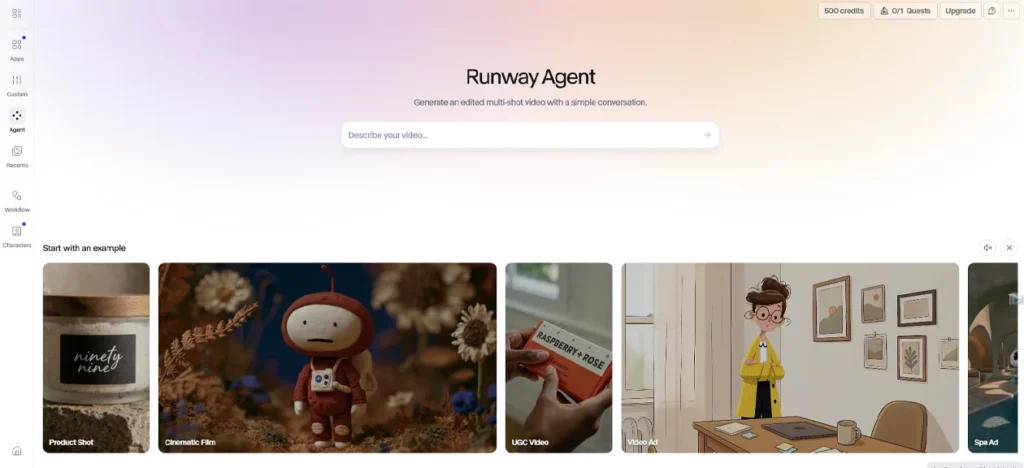
Runway launched Gen-3 Alpha in mid-2024 as a jointly trained video and image model. It supports three generation modes: text-to-video, image-to-video, and video-to-video restyling. Gen-3 Alpha was trained on highly descriptive, temporally dense captions, enabling precise keyframing of elements in a scene and it powers Runway’s text-to-video, image-to-video, and text-to-image tools alongside existing control modes including Motion Brush, Advanced Camera Controls, and Director Mode.
TIME included Runway Gen-3 Alpha in its “200 Best Inventions” for 2024, noting its ability to create 10-second clips from text, image, or video prompts. That recognition was well-founded at the time. The model set a clear quality ceiling above what was available from competitors at that price point, particularly for creators who needed cinematic control rather than rapid iteration.
By mid-2026, the landscape has shifted. Gen-3 Alpha and Gen-3 Alpha Turbo remain available on the Runway platform but are no longer the company’s flagship video models new feature work has been focused on Gen-4 and its successors, with Gen-3 occupying a workhorse role for developers and creators who value its lower API costs and proven stability.
The audience that gets the most from Gen-3 Alpha today breaks down into roughly three groups. The first is advertising agencies and marketing teams producing social content at volume, where Turbo’s speed and lower credit cost make iteration practical. The second is indie filmmakers and VFX artists who need the platform’s full editing suite Motion Brush, green screen, inpainting bundled with generation in one workspace. The third is developers integrating video generation into their own pipelines, for whom Gen-3’s established API and stable behavior matter more than bleeding-edge quality.
Solo hobbyists experimenting on a tight budget will find the pricing friction significant. Runway was not designed for casual use, and the credit math makes that clear quickly.
The Features That Make Gen-3 Stand Out From Basic Video Generators
The core differentiator between Runway Gen-3 and simpler AI video tools is the depth of directorial control. Most text-to-video generators accept a prompt and return a clip. Runway lets you direct that clip.
Motion Brush Pro 2.0 is the clearest example. The feature was upgraded with more precise controls in 2026, enabling subtle facial expressions micro-movements like eyebrow raises and slight smiles that were not achievable in earlier versions. In practice, Motion Brush lets a creator paint over specific regions of an input image and assign directional vectors to each one independently. A waterfall can be animated to flow downward while the surrounding mist rises; tree branches can sway at different intensities than the leaves. Testing showed this level of granular control to be well beyond what simple text-to-video generators like Pika can offer.
Advanced Camera Controls give Gen-3 users access to virtual dolly zooms, pans, tilts, and focus pulls applied to AI-generated or static scenes. Runway’s responsiveness to technical cinematic terminology lens type, camera movement, film grain, lighting conditions has been noted in reviews as a genuine differentiator for creators who think in cinematographic terms. Entering a prompt like “cinematic wide shot, 35mm film grain, rain reflecting on asphalt” produces measurably different results than a vague description, which matters when your output needs to match a pre-existing visual language.
Director Mode combines text prompts with specific camera direction instructions in a single generation pass. This is what makes Runway the preferred tool in advertising contexts, where the difference between a push-in and a static shot is a creative brief item, not a preference.
Act One, Runway’s character animation tool, deserves specific mention. Act One is aimed at producing realistic facial movements, speech patterns, and expressions in human subjects working across photorealistic video of people talking and animated styles and it functions as a performance capture layer built directly into the Gen-3 ecosystem. This is the feature that makes Runway relevant for talking-head production beyond what simple lip-sync tools can offer.
Beyond generation, Runway bundles a set of editing tools that most competitors treat as separate products. These include AI green screen for background removal and replacement, animation via Motion Brush, and object removal and replacement within existing videos tasks that previously required dedicated software like After Effects.
The combined package is genuinely comprehensive. The question of whether it’s worth the price depends almost entirely on how much of that toolkit you actually use.
How the Credit System Works in Practice
The credit system is where most new users run into their first wall with Runway, and it is worth understanding precisely before committing to a plan.
Every action on the platform consumes credits. Gen-4 and Gen-3 Alpha generation runs at 10 to 12 credits per second, Gen-4 Turbo at 5 credits per second, 4K upscaling at an additional 2 credits per second, and image generation at 5 credits per image. These rates sound manageable until you do the real-world arithmetic.
A 10-second clip at 1080p using Gen-3 Alpha costs approximately 50 credits, and some editing features background removal, motion blur, and certain effects also draw from the credit pool. Credits do not roll over; whatever goes unused in a billing month disappears.
At the Standard tier, 625 credits sounds like a lot until the math resolves to roughly 12 standard video generations per month. That number drops further if you upscale to 4K, generate longer clips, or use the editing tools on top of generation. For a creator doing client work, 12 base generations is not a production budget it is a light experimentation allowance.
The problem deepens with failed generations. Multiple user reviews document credits being consumed for unusable output generations that fail with internal error messages while still depleting credit balances. Runway acknowledges this through an official help article on credit discrepancies, confirming that credit usage miscalculations are a recognized, recurring problem.
Reviews and Reddit discussions spanning late 2024 through early 2026 report 10 to 20 minute queue times across all subscription tiers, with premium subscribers receiving platform messages instructing them to come back later. Practical planning for a production workflow should build in a 10 to 15 percent credit buffer to account for failed generations and queue overhead.
The practical approach that experienced users have settled on is to iterate at lower cost using Turbo mode or lower resolution until a shot’s motion and framing are locked, and then upscale or switch to higher-fidelity models for the final output. This workflow preserves credits meaningfully but requires a level of discipline that casual users rarely apply at first.
Pricing Tiers Side by Side
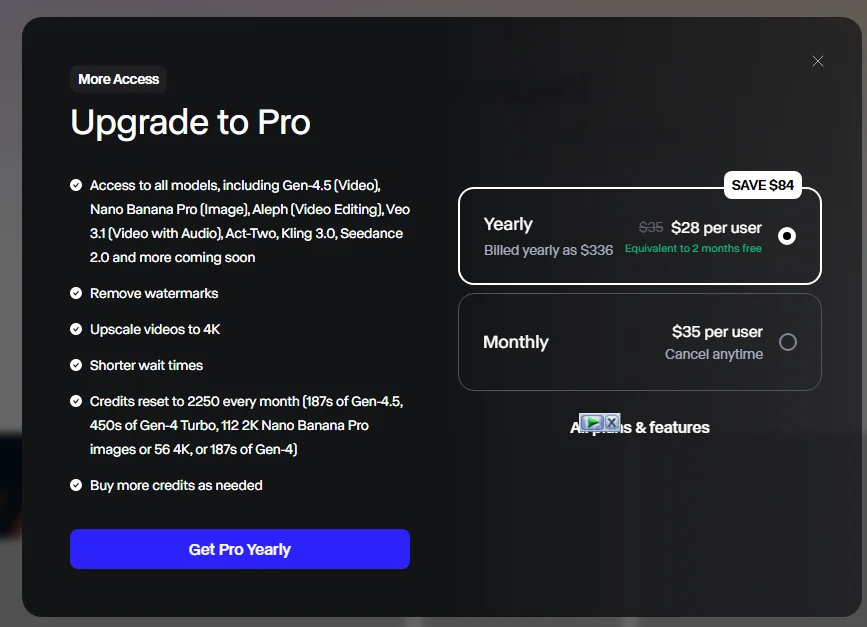
Runway’s pricing in 2026 is credit-based rather than seat-based. Every plan provides a monthly credit allowance, and video generation, image generation, and advanced features consume credits at published rates. This structure makes entry-level plans look inexpensive at $15 per month but hides the true cost for heavy users who exhaust their credit caps mid-month.
The current tier structure as of 2026:
| Plan | Monthly Cost | Credits | Key Limits |
|---|---|---|---|
| Free | $0 | 125 (one-time, not monthly) | Watermark, 720p only, no commercial license |
| Standard | $15/month | 625/month | Gen-3 Alpha access, no watermark, 720p video, personal use only |
| Pro | $35/month | 2,250/month | Gen-3 Alpha Turbo, 4K upscaling, higher queue priority |
| Unlimited | $95/month | Unlimited for standard models | Premium models like Gen-4 still use credits at reduced rates |
| Enterprise | ~$800+/month (5 seats) | Custom | Custom model training, API access, SSO/SAML |
Three material pricing changes took effect across 2025 and 2026: Gen-4 launched in October 2025 with premium pricing, making it inaccessible to Free and Standard subscribers without an upgrade; audio generation became a separate credit line item rather than a bundled feature; and API access moved to Enterprise-only in January 2026, forcing Pro users who relied on API integrations to either upgrade or migrate to competitors.
The last point deserves emphasis. API access removal from the Pro tier was a significant change that affected developers who had built workflows around Runway’s programmatic access at the $35 price point. Several community members on Reddit flagged this as the reason they moved to Kling or Pika for their automation work in early 2026.
The Unlimited plan pays for itself over Pro if a user would otherwise spend more than roughly $60 in credit overages monthly, since the delta between the two plans is approximately $60 and Pro’s overage rate runs $10 per 1,000 credits. For anyone doing iterative client work running multiple prompt variations before locking a final output the Unlimited plan removes a meaningful source of production anxiety that the Standard and Pro tiers introduce.
The free tier warrants a specific note. The 125 one-time credits are not replenished monthly and are enough for approximately two short video clips sufficient for one afternoon of evaluation, but effectively useless for any sustained creative work. Treat it as a demo environment, not a starting point for a production workflow.
What Real Users Got After Testing Gen-3 on Actual Projects
The most consistent pattern in documented user experiences with Runway Gen-3 Alpha is the gap between first impressions and sustained-use reality. The initial generation quality impresses almost universally. The credit economics disappoint almost as consistently.
One reviewer who spent 60 days testing Gen-3 Alpha Turbo and Gen-4 across four client projects reported that character consistency across scenes was a genuine surprise the ability to create a coherent story with the same character across 10 different shots was described as something that matched earlier expectations of professional production tools. That outcome, reported independently by multiple creators across YouTube and Reddit in 2025, represents the clearest genuine strength of the Gen-3 platform: it handles multi-shot narrative coherence better than most tools at its price point.
The frustration that followed that same positive experience was equally consistent. Credits disappeared faster than expected, with one user burning through a full month’s allocation in a single intense afternoon session. This is not an isolated complaint. Across G2 reviews and Reddit threads from late 2024 through mid-2026, credit depletion speed is the most frequently cited reason users downgraded plans or moved to competitors for high-volume work.
A hands-on evaluation published in late 2025 noted that the confusing credit system, inconsistent results, and potential for runaway costs make Runway a difficult tool to rely on when dependable output is needed on a budget and that for most individual creators and small businesses, those variables make it a risky default choice.
What surprised users positively, beyond character consistency, was the platform’s responsiveness to cinematic prompt language. Creators with filmmaking backgrounds reported that describing a shot in terms of lens choice, camera movement, and lighting conditions produced results that closer matched their intent than any other tool they tested. This advantage compounds over time with experience users who invested in learning Runway’s prompt grammar consistently produced better outputs than those who approached it like a simpler generator.
What disappointed users at scale was queue performance. Reddit discussions and verified reviews spanning the period from late 2024 through January 2026 document wait times of 10 to 20 minutes across subscription tiers, with paid subscribers receiving messages telling them to come back later and no documented infrastructure improvements over that period. For creators working against client deadlines, this is a production risk, not just a minor inconvenience.
Motion Quality and Temporal Consistency Where Gen-3 Holds Up
Temporal consistency the ability of a model to keep objects, characters, and physics stable across the frames of a generated clip was the primary technical advance Gen-3 Alpha made over its predecessor when it launched. Studies tracking Gen-3 Alpha’s performance rate it at approximately 94% temporal consistency, meaning objects in the video do not morph or disappear between frames a metric that matters significantly for professional use.
In practice, that number holds for landscape scenes, product shots, and wide environmental clips where no single element needs to remain fully stable across a 10-second clip. It holds less reliably for close-up human faces in extended sequences, and this was documented as one of Gen-3’s most widely criticized weaknesses before Gen-4 addressed it directly.
The headline feature of Gen-4, released in March 2025, was a References system that lets users upload one or more reference images which the model treats as visual anchors for character, object, and scene identity across separate generations without any fine-tuning or retraining. This directly addressed Gen-3 Alpha’s most widely criticized weakness in longer narrative work.
That context matters when evaluating Gen-3 Alpha in 2026. For single-shot clips, product visualizations, B-roll inserts, and environmental videos, Gen-3 Alpha’s temporal consistency is sufficient for professional output. For multi-shot narrative sequences with recurring characters, Gen-4’s References system is a meaningful upgrade and whether that upgrade is worth the additional credit cost depends on the project.
Gen-3 significantly reduced the flickering and object morphing issues common in earlier models, leading to more stable video outputs but Gen-4 improved on these metrics further in comparative evaluations conducted through 2025 and into 2026.
Gen-3 Alpha Turbo deserves specific attention here. External coverage from ProVideo Coalition characterized Turbo as roughly seven times faster and at half the credit cost compared to standard Alpha making it the practical choice for iterative work where speed matters more than maximum visual fidelity. Most experienced Runway users default to Turbo for drafting and switch to Alpha only for final outputs, which is the credit-efficient workflow the platform’s design implicitly encourages.
Motion artifacts remain a documented issue in generated videos morphing objects, inconsistent physics, and textures that read as AI-generated particularly in close-ups of people. The output works consistently for social media content, concept development, and supplementary footage, but it is not replacing a film crew for broadcast-level production.
Runway Gen-3 vs. Kling, Pika, Veo 3.1, and Luma
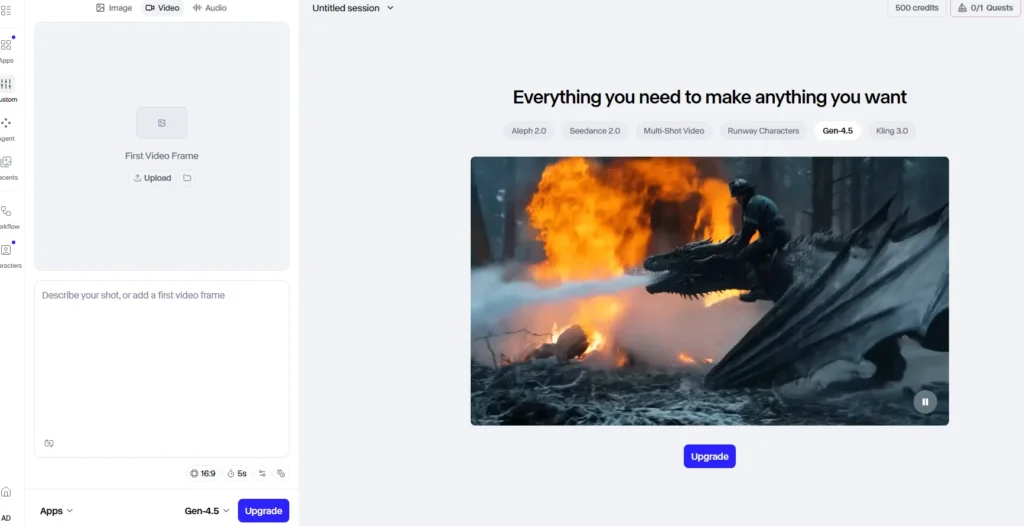
The competitive landscape for AI video generation has shifted significantly since Gen-3 launched. In mid-2026, Runway is no longer the default quality leader across the board. The honest comparison depends on which capability matters most for a given project.
Against Kling AI 3.0
For creative control and video editing specifically, Runway Gen-3 excels. For value, Kling delivers comparable quality at significantly lower cost making it the preferred option for high-volume production where per-generation economics matter more than platform depth. Kling 3.0 also has a stronger native audio and dialogue system in 2026, supporting lip-sync across five languages with a shared audio timeline across multi-shot sequences. Runway’s audio tools exist but are treated as a separate credit line item rather than a native generation feature.
The practical shortcut recommended by reviewers who tested both tools in 2026 is to pick Runway for ad-grade control and Kling for value and iteration. If a project requires precise camera direction, Motion Brush work, or the full editing suite, Runway justifies its price premium. If the goal is generating a high volume of short clips for social content with acceptable-quality motion, Kling’s credit economics win.
Against Pika 2.5
Pika’s pricing is simpler $8 Standard, $28 Unlimited, $58 Pro Unlimited and it costs less than Runway at equivalent tiers. The trade-off is shorter maximum clip lengths (4 seconds versus Runway’s 10) and less camera control. For social media creators, Pika’s lower price often wins. For agency work, Runway’s longer clips and precise control win.
Pika also offers a set of creative effects Pikaffects, Pikaswaps, Pikaformance lip-sync that are oriented toward fast, visually punchy social content rather than controlled cinematic output. The two tools are solving different problems, and a creator doing both types of work would realistically subscribe to both at different price points rather than forcing one to do the other’s job.
Against Google Veo 3.1
Veo 3.1 is the quality alternative when ultra-clean vertical output with native audio matters more than cost. Veo integrates audio generation natively into the video output rather than treating it as a separate step, which matters for creators who want synchronized dialogue or ambient sound without post-production work. The trade-off is that Veo sits inside Google’s ecosystem with pricing and access terms that differ structurally from Runway’s subscription model.
For creators who need the highest possible output quality and are willing to pay for it, Veo 3.1 produces results that multiple reviewers in 2026 placed above Gen-3 Alpha in blind quality comparisons. For creators who need the combination of generation and editing in one workspace, Runway still offers a more complete toolkit.
Against Luma Dream Machine
Luma is the strongest alternative specifically for natural motion quality. Scenes involving fluid movement water, organic shapes, non-mechanical motion tend to look more natural in Luma outputs based on side-by-side comparisons shared by users on X and YouTube in 2025. Runway produces more controlled, cinematic motion in scenes where direction is clearly specified. Luma produces more convincingly organic motion in scenes where physics needs to feel unforced.
The broader 2026 picture
Independent benchmarks as of mid-2026 show that Runway Gen-4.5, which led the Artificial Analysis leaderboard at launch in late 2025, has since dropped out of the top 10 with Seedance 2.0 and HappyHorse-1.0 occupying the top positions, followed by Veo 3.1 at third. Gen-3 Alpha sits below these models in raw quality rankings, which is expected given its age. What keeps it relevant is platform depth, credit cost, API stability for enterprise users, and the fact that for a wide range of professional use cases, the quality gap between Gen-3 and the current leaders does not translate to a meaningful difference in deliverable output.
Where It Falls Short According to Documented User Feedback
The weaknesses in Runway Gen-3 Alpha are not vague. They recur consistently across user reports from multiple platforms, and several of them affect real purchasing decisions.
The credit system punishes iteration. Creative work inherently involves iteration running multiple versions of a prompt before finding one that works. Runway’s credit model means every iteration attempt has a direct cost, and without an Unlimited plan, a single creative team can burn through hundreds of dollars in top-up credits in a single afternoon of brainstorming. The Standard and Pro tiers create a specific type of production anxiety where creators hesitate to experiment, which undermines the exploratory process that makes AI generation useful in the first place.
Failed generations still consume credits. Multiple verified user reviews document credits being consumed for output that fails with internal error messages. Runway has acknowledged this as a recognized, recurring problem through its own help documentation. This is a structural trust issue: paying for nothing is categorically different from paying for output you discard by choice.
Queue times persist regardless of tier. User reports document 10 to 20 minute queue times across all subscription tiers including paid plans with no documented infrastructure improvements over the roughly 15-month period spanning late 2024 to early 2026. For a paid subscriber expecting priority access, being told to come back later is a legitimate service failure.
The free tier is functionally a demo, not a trial. The free tier provides 125 credits as a one-time allowance enough for approximately two short video clips and does not replenish monthly. Unused credits do not roll over on any paid plan. New users who want to evaluate the platform properly before committing financially are forced to pay for a Standard plan minimum, which positions the entry point at $15 rather than free.
Gen-3 Alpha has a hard 10-second clip ceiling. At a model level, the maximum output length for Gen-3 Alpha is 10 seconds per generation. Longer sequences require stitching multiple clips together manually or using the Extend Video feature, each step consuming additional credits. If a project requires a 30 to 60 second sequence built from multiple shots, the combined cost of generation, extension iterations, and upscaling can dominate the production budget very quickly.
Content moderation produces false positives. Users across Reddit and the Runway community forums have reported prompts blocked for content policy violations when the intended output was clearly within normal creative parameters. Action sequences, dramatic lighting conditions, and certain character descriptions have triggered moderation flags in documented cases, forcing prompt rewrites that change the intended output. Runway provides a feedback mechanism for contested flags, but the friction cost per blocked generation both in credits and in workflow disruption is real.
Who Should Use Gen-3 and Who Should Look Elsewhere
Gen-3 Alpha makes practical sense for:
- Advertising and agency creatives producing video assets that require specific camera direction and controlled motion. The Motion Brush, Director Mode, and Advanced Camera Controls deliver a level of directorial precision that Kling and Pika do not match at comparable price points.
- Filmmakers and VFX artists using AI generation as one tool within a broader editing pipeline. The bundled editing suite green screen, inpainting, object removal means fewer platform switches per project.
- Developers and studios who need stable API access and proven model behavior for programmatic video generation. Note the 2026 API access change: this now requires Enterprise pricing.
- Creators doing B-roll at scale where 10-second cinematic inserts are the deliverable. One indie production team reported generating 12 usable 5-second inserts for under $20 in credits output that would have cost significantly more to shoot practically. For this use case, the credit economics work.
Gen-3 Alpha is the wrong choice for:
- High-volume social media creators who need rapid iteration at low cost. Kling’s credit economics and Pika’s simpler pricing win this comparison outright.
- Creators who need native audio in their output. Runway’s audio generation is a separate, credit-consuming add-on. Kling 3.0 and Veo 3.1 handle synchronized dialogue and ambient sound as integrated generation features.
- Developers who need API access below Enterprise pricing. The January 2026 change removed API access from the Pro tier. If programmatic integration is the goal and the Enterprise price point is out of reach, Kling and Luma both offer API access at lower tiers.
- Anyone whose primary content format is under 5 seconds. Pika’s $8 plan produces shorter clips faster with less credit friction, and the quality difference on short social clips does not justify the Runway price premium.
Final Verdict Runway
Runway Gen-3 Alpha in 2026 occupies a specific, defensible position in the AI video market that is narrower than its early reputation suggested. It is the strongest available combination of generation quality and directorial control at its price point for creators who actually use that control. The Motion Brush, camera direction system, and full editing suite represent a genuine professional toolkit that tools like Pika and Kling have not replicated at comparable price points as of this writing.
The caveats are structural and significant. The confusing credit system, inconsistent generation results, and potential for runaway costs make it a difficult tool to rely on for anyone who needs predictable output on a defined budget. The failed-generation credit loss is a trust problem that Runway has acknowledged but not resolved across the timeframe reviewed. Queue times that affect paying subscribers remain a documented operational issue.
The competition has also genuinely caught up in output quality. Seedance 2.0 and Veo 3.1 now occupy the top benchmark positions for raw video quality in mid-2026, with Runway’s own Gen-4.5 having fallen out of the top 10 since its launch. Gen-3 Alpha sits below all of them on pure quality metrics. What it retains is platform depth the combination of generation and professional editing tools that makes it more than a video generator and closer to a production environment.
The honest recommendation, based on what real users reported across 2025 and into 2026, is this: if your workflow involves camera direction, Motion Brush work, multi-tool editing, or controlled cinematic B-roll production, Runway Gen-3 Alpha at the Pro tier ($35/month) delivers real professional value. If your primary need is volume, speed, native audio, or cost efficiency, Kling AI or Pika will serve that workflow better and more cheaply. Runway earns its price for ad-grade control; Kling earns it for value and iteration; and neither answer is wrong the tools are solving different problems for different creators.
Similar AI Tools

Kling AI Review 2026 – What It Actually Delivers for Video Creators

Adobe Firefly Review Free AI Text to Image Generator, Video Tools, and Everything You Need to Know

