
Google Gemini AI Review Is It the Smartest AI Assistant for 2026?
Artificial Intelligence has become an essential part of daily life and business. Honestly? If you aren’t using AI in your workflow, you’re simply not staying competitive. Whether you’re a student looking for study help, a professional needing a productivity boost, or a creator hunting for fresh ideas, Google Gemini Ai offers a comprehensive, cutting-edge solution.
This isn’t just a basic chatbot; it’s a multimodal intelligent assistant that understands text, images, videos, and audio, performing complex tasks with human-like intelligence.
What Exactly is Google Gemini Ai?
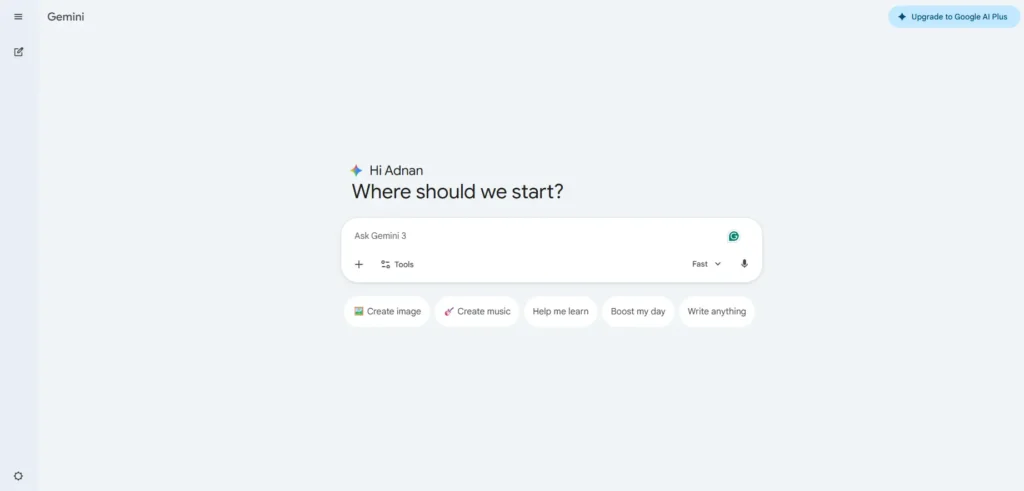
Google Gemini is a family of “multimodal” Large Language Models developed by Google DeepMind. Multimodal means it can understand and generate content across different formats: text, images, video, audio, and even programming code.
Unlike older models that relied solely on text, Gemini can analyze an image and explain it, watch a short video and summarize it, or even create entirely new visuals. In 2026, it has notably surpassed competitors like ChatGPT in high-end image and video design.
- Access: Available for free at gemini.google.com or via the mobile app.
- Premium: Powerful paid versions are available, known as Google AI Pro or Ultra (formerly Gemini Advanced).
- The “Agentic” Shift: By 2026, Gemini has become an agentic assistant. This means it can execute multi-step tasks autonomously—like conducting web research, writing a full report, or managing your schedule using Google Apps.
The Evolution: From Bard to Gemini 3
The journey began in 2023 with “Bard.” By February 2024, it was rebranded as Gemini with the 1.0 release. Version 1.5 soon followed, introducing the massive 1-million-token context window, allowing the AI to analyze entire books or hours of video at once.
In December 2024, Google announced Gemini 2.0, designed for the “Agentic Era,” adding native image/audio output and “Tool Use” to interact with external apps.
Today in 2026, the flagship is the Gemini 3 family. These models excel in deep reasoning and complex coding.
The 2026 Lineup: Which Version is for You?
| Model | Best For… | Key Feature |
| Gemini 3.1 Pro | Complex tasks & Research | Converts simple sketches into 3D interactive apps. |
| Gemini 3 Flash | Speed & Daily use | The default for quick, efficient mobile answers. |
| Gemini 3.1 Flash-Lite | High-volume tasks | Ideal for businesses processing thousands of requests cheaply. |
| Gemini 3 Deep Think | Science & Engineering | PhD-level reasoning for advanced problem-solving. |
Key Features That Set Google Gemini Ai Apart
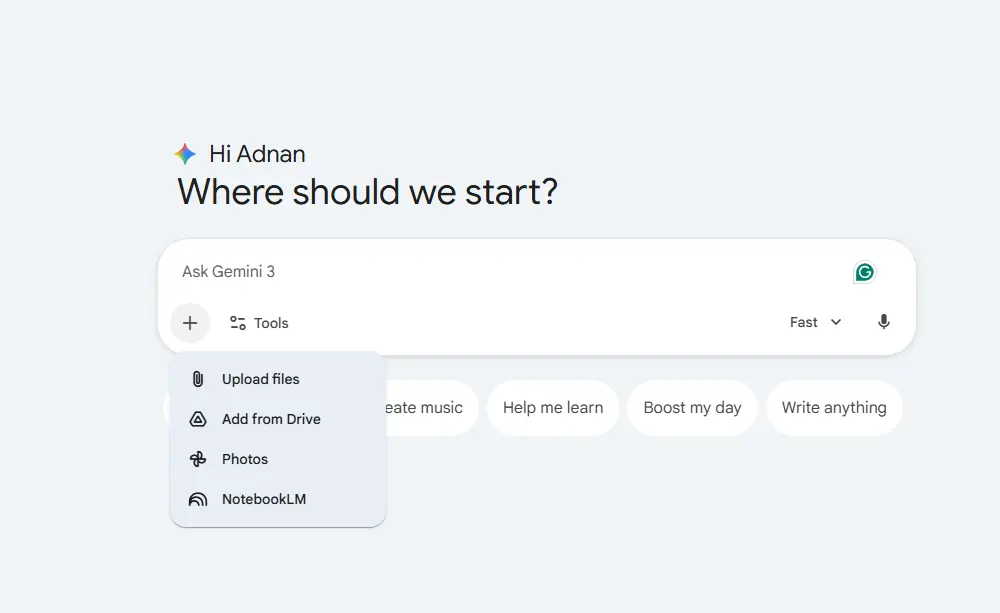
- Native Multimodality: Upload a video and ask for an analysis. Generate images via Imagen 4 and short videos via Veo 3.
- Deep Research: It writes full reports with verified citations and converts them into charts or quizzes.
- Personal Intelligence: Connects to Gmail, Photos, YouTube, and Search for personalized suggestions (available in paid tiers).
- Google Workspace Integration: As of March 2026, Gemini can draft entire slide decks or complex spreadsheets based on your local files.
- Gems and Agents: Create custom “Gems” like a “Recipe Consultant” or “Coding Coach.” Use the Gemini Agent to automate workflows.
- Audio & Video Mastery: “Audio Overviews” turn text reports into podcast-style conversations.
How to Get Started Gemini Ai (Simple Steps)
- Visit gemini.google.com or download the app on Android/iOS.
- Sign in with your Google Account.
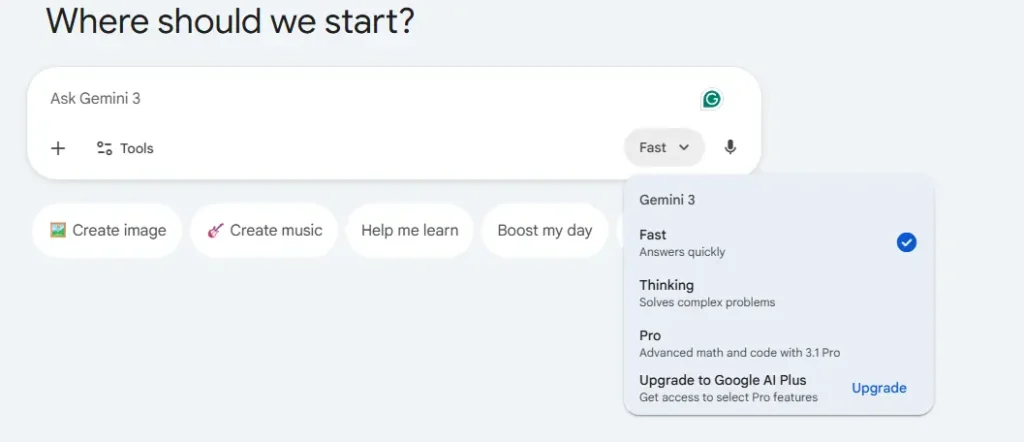
- Choose your model: Flash for speed, Pro for power, or Deep Think for complexity.
- Type your request or upload a file/image.
- Enable Extensions: Go to settings to link Gmail, Calendar, or WhatsApp.
Practical Use Cases
- Coding: “Write Python code for a web app” or “Debug this snippet.” It excels at Agentic Coding.
- Education: “Explain Relativity with simple examples” or generate practice exams.
- Business: Create presentations and analyze data directly from your Drive.
- Creativity: “Generate an image of a futuristic city” or “Turn this recipe into a 10-second video.”
Cons of Google Gemini
Despite its power, Google Gemini Ai is not 100% perfect. Here are the most notable drawbacks based on user experiences in 2026:
- Less Creative in Pure Writing Compared to ChatGPT or Claude Responses are often more formal and direct rather than engaging or highly creative. If you’re looking for stories or attractive marketing content, it can sometimes feel a bit robotic.
- Even with its large context window, it occasionally forgets details in extremely complex conversations, especially if you’re not using Deep Think mode.
- In creative writing tests or deep analysis of text-only content, Claude or ChatGPT sometimes performs better.
- Because it’s tightly linked to Google’s system, it collects more data, which may not suit users who prioritize strict privacy.
- Quality of Creative Generation (Images and Video) It’s good, but some users still prefer specialized tools like Midjourney for images or other dedicated tools for video.
- Deep Think and most agentic features require a paid subscription, and the free tier has limitations for heavy daily use.
Pros of Google Gemini
Google Gemini (especially the Gemini 3.1 Pro and Gemini 3 Flash versions) stands out with a powerful set of features that make it a very strong choice:
- Gemini can process extremely long files in a single go, such as an entire book (around 750,000 words), a large code repository, or hours of video. This makes it ideal for analyzing lengthy documents or complex projects without losing context.
- It understands and analyzes text + images + videos + audio together in one context. For example: upload a lecture video and ask it to summarize it while extracting charts, or upload an image along with a description and request edits.
- This is its biggest strength. Gemini can read your Gmail messages, analyze files in Drive, write directly in Google Docs, or even organize your schedule from Calendar. It also uses real Google Search to deliver up-to-date, reliable information with sources.
- The Flash version is extremely fast for everyday responses, while Pro and Deep Think excel at complex tasks like programming and scientific reasoning.
- It can autonomously execute multi-step tasks, such as creating a complete report from your data in Drive and then turning it into a presentation.
- Especially with Deep Think mode, it delivers excellent results on large-scale scientific and programming tasks.
- The paid version (Google AI Pro or Ultra) costs around $20 per month and includes extra features across all Google products.
Expert Tips for 2026
- Be Specific: Instead of “Write an email,” try “Write a formal email using 2026 market data.”
- Use Deep Research: Save hours on academic or market research.
- Privacy First: Use “Temporary Chat” if you don’t want logs saved.
- Fact-Check: AI is brilliant, but it’s not 100% perfect. Always verify critical data.
Things Where Gemini Is Extremely Strong and Has No Real Competitor in 2026
Here are the areas where Google Gemini Ai clearly leads, making it difficult for competitors (ChatGPT, Claude, Grok) to match it right now:
- Integration with Google Workspace and Personal Data: No one comes close. It works seamlessly inside Gmail, Docs, Sheets, and Drive as if it were part of the app itself. Example: It can summarize a meeting from Google Meet and automatically add tasks to Calendar.
- Processing Long Multimodal Content (Video + Audio + Images + Text): Analyzing long videos or lectures while extracting key points and charts — Gemini is currently the best by a noticeable margin.
- Huge Context Window with Precise Retrieval: 1–2 million tokens with high accuracy in pulling information from massive documents. Perfect for lawyers, researchers, and developers working with large codebases.
- Grounded Real-Time Search (Grounding with Google Search): It pulls the latest information with sources and significantly reduces hallucinations in factual queries.
- Agentic Tasks Inside the Google Ecosystem: Executing multi-step tasks across apps (such as organizing your Inbox or generating reports from Drive data).
- Speed and Efficiency in Heavy Daily Tasks: Especially useful for users working within Android or Chrome.
If you live inside the Google ecosystem (which is very common in Egypt and the Arab world), Google Gemini Ai becomes the undisputed “smart choice.”
Conclusion: Is Gemini Right for You?
Choose Gemini if:
- You use Gmail, Drive, and Docs on a daily basis.
- You work with long documents, videos, or multimodal projects.
- You need speed + accuracy in research and analysis.
Choose ChatGPT or Claude if:
You focus on pure creative writing, clean coding, or highly precise analysis.
Advantages
- Seamless and deep integration with Google apps (Gmail, Docs, Drive, Maps, Workspace).
- Excellent multimodal capabilities (text + images + audio + video) and strong image editing/generation.
- Real-time web search + powerful Deep Research and analysis tools.
- Strong free plan + great value in paid version (Pro ≈ $20/month with 2TB storage).
- Solid performance in coding, research, and productivity tasks.
Limitations
- Hallucinations and occasional errors in facts or logic (same as other AIs).
- Paid subscription required for advanced features (Pro/Ultra).
- Privacy concerns due to Google’s data collection practices.
- Limited integration outside the Google ecosystem.
- Loses context in very long conversations + sometimes overly strict content filtering.
Similar AI Tools

Mistral AI Le Chat Review: Features, Pricing, and Is It Worth It?

Claude AI – Coding, Content Creation & Data Analysis Compared.

Poe AI: The All-in-One AI Toolkit That Puts Every Major Model in One Place
