
OpenAI Codex Features, Installation, Pros, Cons, and Best Alternatives
OpenAI Codex is no longer just a tool that writes a function when you describe what you need.
The current version can open a real project, read its files, make changes across several parts of the codebase, run commands, test what it changed, review pull requests and handle longer tasks with much less supervision than a normal chatbot.
You can also use it in several different ways: from the terminal, inside VS Code-based editors, through the desktop app, on the web, or through Codex Cloud.
That sounds useful, but it also makes Codex slightly confusing for someone trying it for the first time. There are different interfaces, different models, usage limits and several competing tools that do similar things.
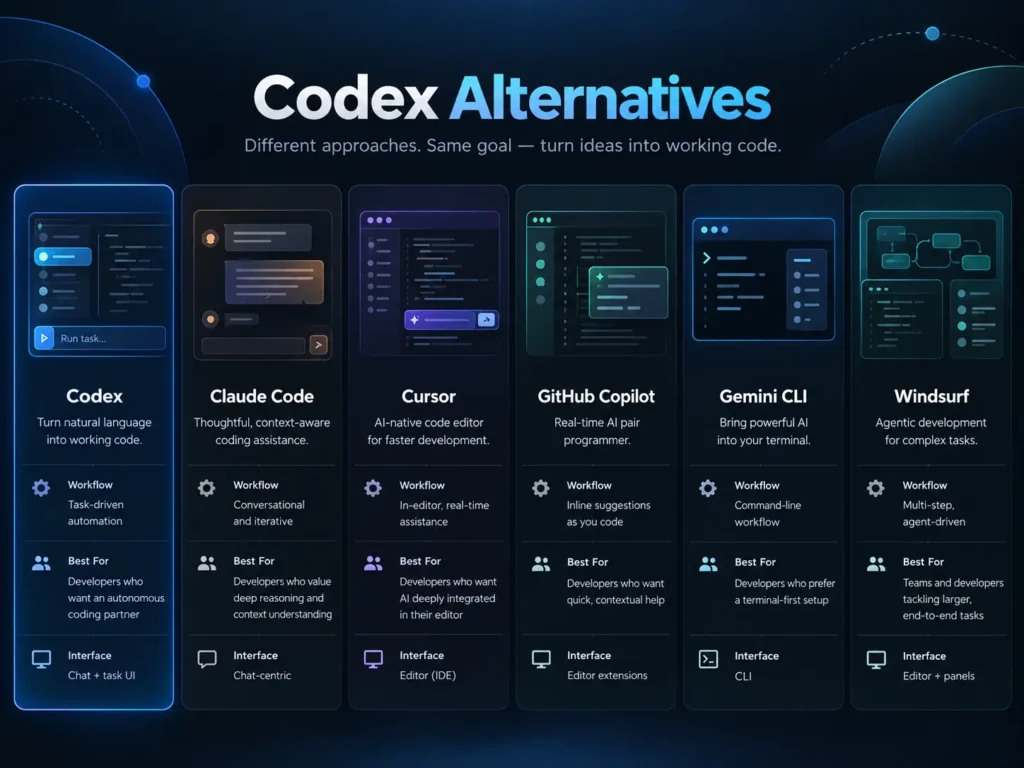
This guide explains what Codex actually does, how to install and use it, how much it costs, what changed recently and where it makes more sense than alternatives such as Claude Code, Cursor, GitHub Copilot, Gemini CLI and Windsurf.
OpenAI Codex Quick Summary
| Item | Details |
|---|---|
| Developer | OpenAI |
| Type | AI coding agent |
| Main use | Writing, editing, debugging, testing and reviewing code |
| Interfaces | CLI, desktop app, IDE extension, web and cloud |
| Local use | Yes |
| Cloud tasks | Yes, on eligible plans |
| Windows support | Yes |
| macOS support | Yes |
| Linux support | Yes |
| VS Code support | Yes |
| Git workflows | Yes |
| Multi-agent support | Yes |
| Free access | Available with limits |
| Best suited to | Developers working with complete repositories rather than isolated code snippets |
Codex is included across ChatGPT plans, including Free and Go. Codex Cloud, however, currently requires an eligible Plus, Pro, Business, Enterprise, Healthcare or Education account.
What Is OpenAI Codex?
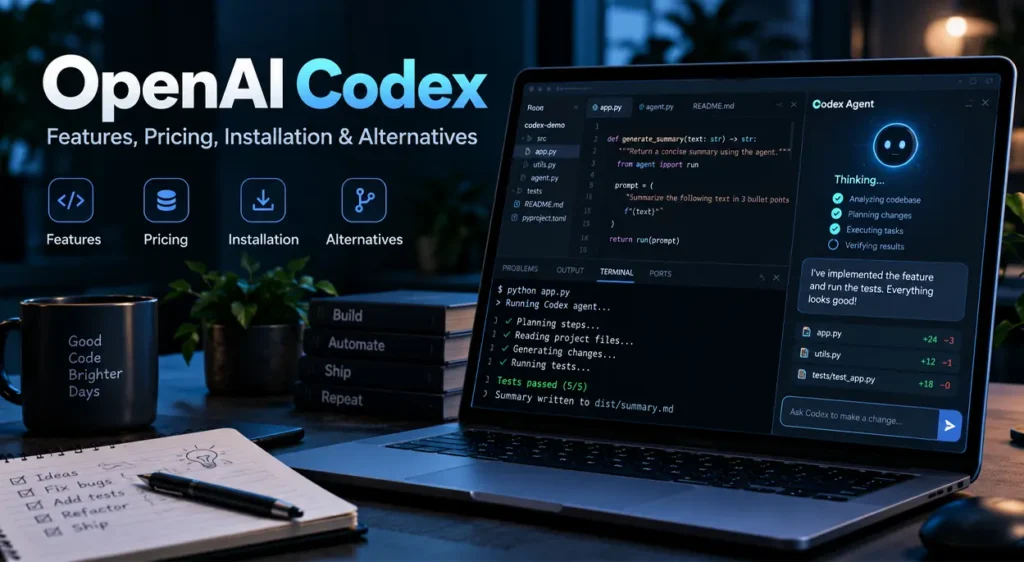
The easiest way to understand Codex is to compare it with a normal AI chatbot.
If you ask a chatbot to fix an error, it usually gives you some code and tells you where to put it.
Codex can do more of the work itself.
For example, you can open an existing project and ask
Codex can inspect the repository, find the files involved, understand how the application currently works, modify the code, create the test and run it.
That is the main difference between an AI coding assistant and an AI coding agent.
Codex belongs to the second category.
The official Codex CLI runs locally on your computer and is open source under the Apache 2.0 license. OpenAI also provides Codex through desktop, IDE, web and cloud interfaces.
What Can Codex Actually Do?
For day-to-day development, the useful features are not complicated.
Codex can:
- Read an existing codebase instead of working with only the code you paste into the chat.
- Edit several files during one task.
- Create new files and components.
- Run terminal commands.
- Install dependencies when permission is available.
- Run tests and inspect failed tests.
- Debug errors.
- Refactor existing code.
- Review code and pull requests.
- Work with Git.
- Keep separate tasks inside different Git worktrees.
- Use multiple agents for different pieces of work.
- Work through a terminal, desktop app, IDE or cloud environment.
- Connect to other tools through supported integrations and MCP.
- Continue cloud tasks when your computer is asleep.
The CLI also includes an agent view, multi-agent tools, voice interaction, worktree support and usage statistics.
That last point matters more than it initially sounds.
With traditional coding assistants, you are usually sitting in front of the computer while the tool works. Codex is gradually moving toward a model where you can hand over a task, check the result later and intervene only when necessary.
The Most Important Recent Update Codex Cloud
One of the biggest recent Codex changes arrived on September 29, 2026.
OpenAI introduced an expanded Codex Cloud experience.
Codex Cloud creates reusable development environments containing your repository, tools and dependencies. Every task runs inside an isolated workspace, and the task can continue even if your own computer is asleep.
This changes the way Codex can be used.
Imagine that you start a large dependency migration in the morning. Normally, a local coding agent depends on your computer remaining online.
With Codex Cloud, that job can keep running remotely.
You can later check the task from another computer or even a mobile device.
There is an important limitation Codex Cloud is currently available only to eligible paid and organizational plans. Free and Go accounts can use Codex, but they do not currently include Codex Cloud.
OpenAI Codex Pricing
Codex does not have one simple standalone subscription for normal individual users. It is mainly included as part of ChatGPT plans.
Prices and allowances can change, so the table below reflects the situation on October 1, 2026.
| Plan | Monthly Price | Codex | Codex Cloud | Notes |
|---|---|---|---|---|
| Free | $0 | Yes, limited | No | Suitable for trying Codex |
| Go | About $8 in the US; varies by market | Yes | No | Higher general ChatGPT limits than Free |
| Plus | $20 | Yes | Yes, if eligible | Sensible starting point for regular individual use |
| Pro 100 | $100 | Yes | Yes | Higher usage allowance |
| Pro 200 | $200 | Yes | Yes | Much higher allowance than Plus |
| Pro 500 | $500 | Yes | Yes | Highest Pro allowance and Astra Ultrafast access |
| Business Standard | $20/user/month annually or $25 monthly | Yes | Yes | Team workspace and administration |
| Business Premium | $100/user/month annually or $125 monthly | Yes | Yes | Higher team usage |
| Enterprise | Custom | Yes | Yes, if enabled | Enterprise controls and billing options |
ChatGPT Plus currently costs $20 per month. OpenAI’s Business Standard seat costs $20 per user per month with annual billing or $25 monthly, while Business Premium costs $100 annually billed per month or $125 on monthly billing.
OpenAI also introduced Pro 500 at $500 per month on September 29, 2026, adding its largest included Pro usage allowance and access to Astra Ultrafast inside Codex and ChatGPT Work.
One thing worth knowing before subscribing is that Codex does not simply count each request as one equal request.
Usage depends on the model, task complexity, context length, reasoning level, tools being used and whether the work is local or cloud-based. A long repository-wide refactor can therefore consume considerably more of your allowance than a small bug fix.
Is Codex Free?
Yes, but with limits.
OpenAI currently includes Codex with the Free plan.
That makes the free account useful if you only want to understand how Codex works before paying for anything.
The important restriction is Codex Cloud.
Free and Go accounts do not currently get cloud environments. For that feature you need an eligible Plus or higher plan.
For occasional coding tasks, that may not matter.
For developers who want Codex to work independently on longer tasks, cloud access becomes much more useful.
How to Install Codex CLI
Codex CLI is probably the simplest way to understand what Codex can do.
It works directly from your terminal.
Install Codex on Windows
Open PowerShell and run:
powershell -ExecutionPolicy ByPass -c "irm https://chatgpt.com/codex/install.ps1 | iex"Install Codex on macOS or Linux
Run:
curl -fsSL https://chatgpt.com/codex/install.sh | shOpenAI also supports installation through npm:
npm install -g @openai/codexMac users can alternatively use Homebrew:
brew install --cask codexThese are the installation methods currently listed in the official Codex repository.
After installation, run:
codexYou will be asked to sign in.
For most people, the simplest option is Sign in with ChatGPT.
You can use an API key instead, but API usage is billed separately from your normal ChatGPT subscription.
Codex System Requirements
The requirements are fairly modest.
| Requirement | Minimum / Recommendation |
|---|---|
| macOS | macOS 12 or newer |
| Linux | Ubuntu 20.04+, Debian 10+ or equivalent |
| Windows | Windows 11 / supported Codex environment |
| RAM | 4 GB minimum |
| Recommended RAM | 8 GB or more |
| Git | Optional, but recommended |
| Internet | Required for model access |
The official installation documentation lists 4 GB of RAM as the minimum and recommends 8 GB.
For real development work, however, your project usually matters more than Codex itself.
A large Docker project, Android build or local database environment may need considerably more RAM than Codex requires.
How to Use Codex
Once Codex is installed, open your project folder:
cd my-projectThen start Codex:
codexYou can immediately describe the task you want it to complete.
For example:
Read the project before changing anything.

The login request occasionally returns a 500 error when an expired
refresh token exists.

Find the cause, make the smallest safe fix, add tests for the failure
case and run the authentication test suite.
This usually works better than saying:
Fix login.Codex is capable of figuring out a lot by itself, but clear constraints still matter.
A useful prompt normally tells it:
- what is wrong;
- what result you want;
- what must not change;
- how it should verify the result.
You do not need to describe every line of code.
You do need to make the finish line clear.
Use AGENTS.md for Larger Projects
If you plan to use Codex regularly inside the same repository, AGENTS.md is worth setting up.
Think of it as project instructions for the coding agent.
It can contain information such as:
- coding conventions;
- project structure;
- commands used for testing;
- files that should not be modified;
- preferred libraries;
- architecture rules;
- linting requirements;
- steps that must be completed before a task is considered finished.
Codex can help generate an initial version using:
/initThis is much better than typing the same instructions again every time you open the project.
Codex on Windows
Windows support has improved considerably.
Current Codex versions include tools such as Codex Doctor, which can check startup, network and performance problems.
Run:
codex doctorCodex can also work with Windows Subsystem for Linux, and users with multiple WSL distributions can choose which distribution Codex should use.
Older guides that describe Codex on Windows as an awkward workaround are therefore increasingly outdated.
Using Codex in VS Code
You do not have to live in the terminal.
Codex has an IDE extension and supports VS Code as well as most VS Code-based editors.
That includes a practical advantage for people already working in editors such as Cursor or Windsurf: you can use those editors while still accessing Codex.
The choice between CLI and IDE is mainly about workflow.
The terminal works well when you want to give an agent a complete task and let it work.
The IDE is more comfortable when you want to keep watching files and making manual changes while the agent is working.
Codex Strengths
1. It understands complete repositories
This is where Codex becomes much more useful than copying code into ChatGPT.
It can examine how different files relate to each other before changing anything.
That is particularly useful for backend projects, APIs, libraries and mature applications where a small change can affect several modules.
2. It can test its own changes
Generating code is easy.
Generating code, running the test suite, reading the failure and correcting the implementation is much more useful.
Codex can do that loop automatically.
3. You can use it without changing editors
Cursor and Windsurf are complete editor environments.
Codex does not require you to move your entire workflow.
You can use the CLI with almost any editor.
4. Local and cloud workflows are available
Small tasks can stay local.
Longer delegated work can move to Codex Cloud on supported plans.
This makes Codex more flexible than tools designed around only one interface.
5. Git worktrees are genuinely useful
When several agents edit one checkout, conflicts become messy quickly.
Codex can place separate tasks into separate Git worktrees, which makes parallel work much easier to manage.
6. Multi-agent work is becoming practical
Codex can let agents open, inspect and fork other tasks.
You might have one agent investigate a bug while another reviews the relevant tests.
That does not mean more agents always produce better results, but for independent tasks it can save time.
Codex Weaknesses
Codex still has several problems worth knowing about.
Usage is not always easy to predict
Two prompts that look similar can consume very different amounts of usage.
A request that touches twenty files, calls several tools and runs tests repeatedly naturally costs more than a small edit.
This makes fixed monthly plans less predictable than a simple message counter.
Long autonomous tasks still need review
Codex may successfully run every test and still make a design decision you would not have chosen.
Passing tests only prove what the tests cover.
Important changes still need human review.
It can over-edit
Give an agent a vague task and it may fix things you did not ask it to fix.
This is not unique to Codex.
The easiest way to reduce it is to specify boundaries clearly:
Do not refactor unrelated files.or:
Make the smallest change needed to fix the failing test.Frontend results are inconsistent
Community feedback is especially mixed here.
Some developers report excellent UI work with Codex, while others prefer Claude Code or Cursor when visual design is the main task.
That difference is not surprising because frontend quality depends heavily on prompts, screenshots, the model being used and the existing design system.
Features change quickly
This is both a strength and an annoyance.
Models, usage limits and interfaces have changed several times during 2026.
A six-month-old Codex tutorial may already describe commands, models or pricing that no longer apply.
What Codex Users Say About It
Reddit is useful for spotting recurring complaints and strengths, but it should not be treated like a controlled benchmark.
One recurring positive theme is backend work.
In one popular r/Codex discussion, a developer moving from Claude Code described Codex as noticeably stronger for backend tasks and edge cases, while preferring Claude for frontend design.
Other developers who use both tools report that Codex sometimes needs less explanation because it can infer more from the existing codebase.
Usage limits produce much less consistent feedback.
Some Pro users report being able to run several long Codex sessions before hitting their limits. Others, particularly on lower-cost plans, complain that large multi-file jobs consume their allowance quickly.
There are also users who prefer Claude Code outright, and others who use both tools together.
That is probably the most useful takeaway from social-media feedback Codex performance depends heavily on the kind of project you are giving it.
A Python backend, React frontend, game project and large C++ codebase are not the same workload.
Codex Alternatives Quick Comparison
| Tool | Main Style | Starting Paid Individual Price | Good Fit For |
|---|---|---|---|
| Codex | Coding agent / CLI / cloud | $20 with ChatGPT Plus | Existing editor + autonomous agent workflow |
| Claude Code | Terminal coding agent | Depends on Claude subscription | Agent-heavy terminal workflows |
| Cursor | AI code editor | $20/month | Developers wanting an AI-first editor |
| GitHub Copilot | IDE + GitHub assistant | $10/month | GitHub-centered development |
| Gemini CLI | Terminal agent | Free and paid usage options | Google/Gemini users |
| Windsurf | AI code editor | $20/month | Integrated editor and agent workflow |
These products change frequently, so price alone is a poor way to choose one.
The bigger question is how you want to work.
Is Codex Good for Beginners?
It can be, with one condition do not use it as a substitute for understanding your project.
Codex makes it extremely easy to produce a lot of code quickly.
That is useful when you can judge whether the changes make sense.
It is dangerous when you cannot.
A beginner should use Codex to:
- explain unfamiliar code;
- create small features;
- write tests;
- find bugs;
- explain Git changes;
- suggest improvements.
The beginner should still read the changes before accepting them.
The worst way to learn programming with an agent is to press accept until the application works.
Is Codex Safe for Production Code?
It can be used with production repositories, but normal engineering rules still apply.
Do not give an AI agent unrestricted access to credentials it does not need.
Review important diffs.
Use version control.
Run tests independently.
Protect deployment commands.
Treat database migrations carefully.
And do not assume a successful automated test means the implementation is secure.
OpenAI provides sandboxing, approval and workspace controls, but these controls do not remove the need for code review.
Tips for Getting Better Results from Codex
You do not need huge prompts.
You need precise ones.
Instead of:
Improve this project.write:
Inspect the API layer and identify unnecessary database queries in the
GET /orders endpoint.

Do not change the API contract.

Optimize the queries, add tests where needed, run the relevant test
suite and explain the performance-related changes.
Another useful habit is asking Codex to investigate before editing:
Do not change any files yet.

Investigate the problem and give me the most likely root cause with
evidence from the repository.
Once the diagnosis looks sensible, let it implement the fix.
This usually prevents unnecessary edits.
Should You Use Codex in 2026?
Codex makes the most sense when you want an AI tool to work with an actual codebase rather than answer isolated programming questions.
Its strongest areas are repository understanding, multi-file changes, debugging, test-driven fixes, Git workflows and increasingly autonomous work.
The new Codex Cloud experience also makes longer delegated jobs much more practical because they no longer need to remain tied to your laptop.
The weaknesses are equally clear.
Usage can be difficult to predict, large jobs still need supervision, frontend quality varies and the product changes quickly enough that old guides become outdated.
For light programming, the free version is enough to understand how Codex works.
For regular development, Plus is the logical entry point because it adds Codex Cloud while keeping the monthly cost at $20.
Heavy users should judge higher Pro tiers based on their real usage rather than assuming that a more expensive plan will automatically produce better code.
What is OpenAI Codex?
Codex is OpenAI’s AI coding agent. It can inspect repositories, edit files, execute terminal commands, run tests, review code and complete multi-step development tasks.
Is OpenAI Codex free?
Yes. Codex is currently included with ChatGPT Free, although usage is limited and Codex Cloud is not available on Free accounts.
How much does Codex cost?
There is no single standard Codex subscription for most individual users. It is included with ChatGPT plans. Plus costs $20 per month, while higher Pro tiers provide larger allowances.
Can I use Codex on Windows?
Yes. Codex supports Windows and includes Windows-specific features such as Codex Doctor and WSL distribution selection.
Can I use Codex with VS Code?
Yes. OpenAI provides an IDE extension compatible with VS Code and most VS Code-based editors.
Can Codex edit multiple files?
Yes. Multi-file repository changes are one of its main use cases.
Can Codex run tests?
Yes. Codex can execute project commands and tests when its environment and permissions allow them.
Can Codex work while my PC is turned off?
A local Codex session cannot continue without the machine it is running on. Codex Cloud tasks can continue in OpenAI-managed environments while your computer is asleep.
Is Codex better than Claude Code?
Neither is better for every project. Community feedback varies significantly depending on the model, programming language, frontend or backend workload and the developer’s preferred workflow.
Is Codex better than Cursor?
They solve the problem differently. Cursor is an AI-focused code editor, while Codex can work from your terminal, existing editor, desktop app or cloud environment.
Does Codex require an API key?
No. You can sign in using your ChatGPT account. An API key is another option, but API billing is separate.
What are the best Codex alternatives?
The main alternatives worth comparing are Claude Code, Cursor, GitHub Copilot, Gemini CLI and Windsurf.
Similar AI Tools

Kimi Code Review 2026 Is K2.7 the Best Open-Source Coding Agent for the Price?

OpenCode Review Features, Pricing, Setup & Models

Cursor AI Features, Pricing, Pros and Cons