

OpenCode sits in an increasingly crowded category of AI coding agents, but its approach is somewhat different from tools that lock the developer into one model provider or one editor.
The specific project covered here is OpenCode from opencode.ai. It is an open-source AI coding agent that can work from the terminal and is also available through desktop, web, and editor-oriented workflows. Its main attraction is model and provider flexibility: instead of forcing every coding task through a single AI vendor, OpenCode can connect to multiple commercial providers as well as local model servers.
There is one important complication in October 2026 OpenCode is moving quickly through its V2 generation, and some older documentation, package pages, and search results still point to V1. I will separate those versions whenever the distinction matters.
Quick Summary OpenCode AI
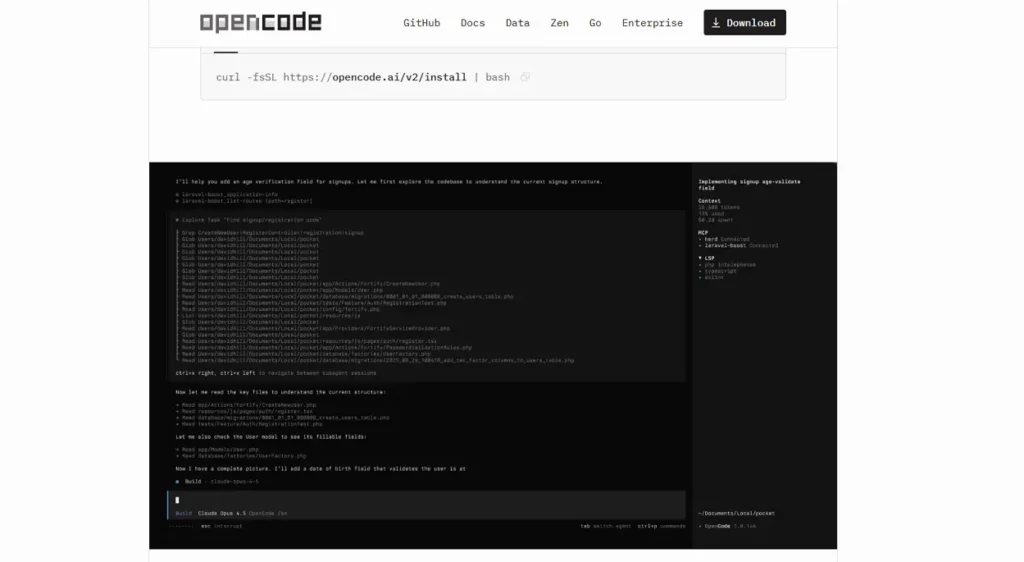
- OpenCode is an open-source AI coding agent released under the MIT License.
- The current public V2 package I verified on October 1, 2026 is OpenCode 2.0.21. The traditional GitHub Releases page still labels v1.18.34 as the latest V1 release, which can make version searches confusing.
- OpenCode can be used from a terminal, desktop application, web interface, and supported editor workflows.
- Its model system is provider-independent. Current V2 documentation includes OpenAI, Anthropic-compatible APIs, Google/Vertex AI, OpenRouter, Azure, Amazon Bedrock, xAI, GitHub Copilot, OpenAI-compatible endpoints, and local runtimes such as Ollama, LM Studio, and vLLM.
- The core software is free and open source, but using a commercial AI API can still cost money. OpenCode also offers an optional OpenCode Go service.
- Its main strengths are provider choice, local-model support, terminal-oriented workflows, reusable agents, configurable permissions, and an open-source codebase.
- Its biggest practical concern right now is the speed of the V2 transition. Plugin APIs and server contracts changed, V1 plugins do not automatically work with V2, and recent GitHub issues show some Windows and context-management problems still being worked through.
- The simplest start is to install OpenCode, run it inside a project, use
/connectto configure a provider, and/modelsto select a model.
What Is OpenCode?
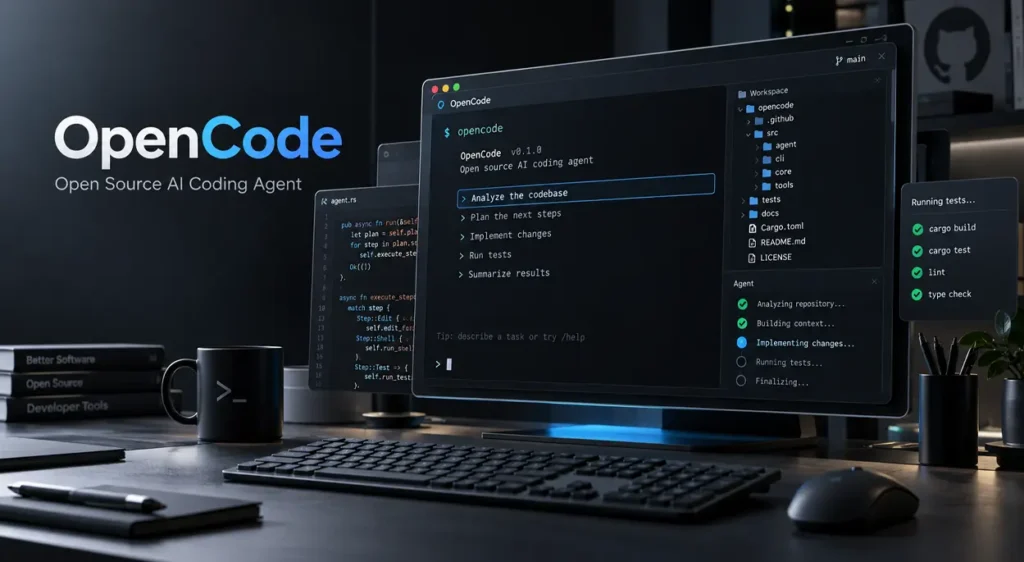
OpenCode is an AI coding agent rather than only an autocomplete extension.
You open it in or point it at a software project, give it a development task in normal language, and the selected AI model can inspect project files, reason about the repository, propose or make changes, and interact with development tools allowed by OpenCode’s permission system.
The project describes itself as open source, and its current package repository lists an MIT license.
That matters because OpenCode itself is not the AI model. Think of it more as the agent runtime and developer interface connecting your repository, development tools, permissions, session history, and whichever compatible model you choose.
This separates it from products where the editor, agent, and underlying model service are effectively one package.
A developer might, for example, use OpenCode with an OpenAI model for one repository, Claude through an Anthropic API connection for another, and an Ollama-hosted local model for work that needs to remain on local infrastructure.
How Does OpenCode Work?
The normal workflow is straightforward.
You enter a project directory and launch OpenCode. The agent gets access to the project context and to the tools permitted by your configuration. You then describe what you want done.
A request might be as simple as:
Explain how authentication works in this repository and show me where sessions are created and validated.
Or more agentic:
Run the relevant tests, reproduce the failing authentication test, identify the root cause, and propose a minimal fix. Do not modify files until you explain the cause.
OpenCode passes the relevant context to the selected model. The model can then request actions such as reading files, editing code, or executing permitted shell operations. OpenCode mediates those actions rather than giving every request unlimited access by default.
V2 includes a configurable permission system in which individual actions or command patterns can be allowed, denied, or set to require confirmation. The documentation even demonstrates allowing harmless Git inspection commands while denying git push.
OpenCode also supports reusable agents. An agent can define its own instructions, preferred model, and permissions, making it possible to create roles such as a read-only reviewer or documentation assistant instead of using one unrestricted configuration for everything.
For larger tasks, this creates a workflow closer to delegating work to a development agent than merely asking for code completion.
Latest OpenCode Update
OpenCode V2 is now the important release line
As of October 1, 2026, the public GitHub Container Registry package for OpenCode lists 2.0.21 as the latest V2 package. Version 2.0.20 had been published roughly a day earlier, showing how quickly the V2 line is currently moving.
There is an unusual versioning detail worth knowing: OpenCode’s conventional GitHub Releases view still identifies v1.18.34 as “Latest” for the V1 release stream. That does not mean V2 stops at 1.18.34. It means OpenCode’s release surfaces have not all been consolidated around V2 in the same way.
If you are following current documentation, use the V2 documentation and V2 installation instructions, not an old V1 tutorial found through search.
What changed in OpenCode 2.0?
The major V2 migration introduces intentional breaking changes rather than being a cosmetic version bump.
The official migration documentation identifies changes to the plugin API, server API/client contracts, and terminal configuration. Existing V1 plugins are not automatically compatible with V2 and may need to be ported. Older configuration can be read and normalized, but developers maintaining integrations should review the new interfaces.
The V2 installation paths have also changed. Current documentation uses the V2 installation script, the opencode-v2 Homebrew formula, or the @opencode/cli npm package.
One documentation inconsistency you should know about
OpenCode’s homepage currently promotes automatic LSP support, but the more specific V2 migration documentation states that V2 can preserve LSP configuration while not currently running language servers, exposing LSP tools, or returning LSP diagnostics.
For a V2 user today, I would treat the migration documentation as the more specific technical source. In other words, do not assume that language-server-powered diagnostics are available merely because the homepage still advertises LSP support.
This is exactly the sort of detail that can be missed when reading an older OpenCode review.
OpenCode Key Features
Terminal-first AI coding
The terminal remains one of OpenCode’s main interfaces.
You can start an interactive session in a repository or use command-oriented workflows for individual tasks. This works particularly well for developers who already spend much of the day in a shell, Git, test runners, and build tools.
Unlike a simple chat window, the agent can operate against the actual project context rather than requiring you to manually paste every relevant source file.
Repository understanding
OpenCode can inspect files across an existing project and use them as context for a task.
That makes it useful for questions such as:
- Where is this API route implemented?
- Which files participate in authentication?
- What code calls this database abstraction?
- What tests cover this module?
- What would be affected if this interface changed?
Its effectiveness still depends heavily on the underlying model and on how much useful repository context can be provided. A large repository does not suddenly fit perfectly inside every model’s context window simply because an agent is involved.
File editing and code generation
OpenCode can use model-generated changes to edit project files.
That supports normal coding-agent jobs including creating new functions, implementing features, updating configurations, writing tests, refactoring code, or fixing a bug.
These are workflows rather than guaranteed outcomes. OpenCode supplies the agent environment; the accuracy of the code depends on the model, available context, prompt, tests, and whether the developer verifies the result.
Shell command execution
With appropriate permissions, the agent can use shell commands as part of a multi-step task.
That means a coding session can involve more than writing text. The agent can potentially run a test suite, inspect Git state, use a formatter, execute a build command, or reproduce a failure.
The permission system is important here. OpenCode lets users define patterns that are allowed, denied, or require approval rather than treating all commands as equally safe.
Multiple AI providers
Provider flexibility is one of OpenCode’s defining features.
The V2 provider system uses a catalog based on Models.dev and supports a range of provider runtimes instead of hard-coding the application around one model company.
This also reduces vendor lock-in. Changing models does not necessarily require changing your entire coding interface.
Local AI models
OpenCode V2 can discover local endpoints from:
- Ollama
- LM Studio
- vLLM
The documentation shows built-in local discovery for these runtimes. For vLLM, OpenCode notes that automatically discovered models may not expose enough information to determine tool support, so tool use can remain disabled until capabilities are configured explicitly.
This is useful for developers who want local inference, need to experiment with open-weight models, or want more control over where source context is processed.
Custom agents
A custom agent can carry a specific system instruction, model preference, and permission policy.
For example, you could create a security-review agent with read-only access or a documentation agent that can inspect source code but cannot execute arbitrary shell commands.
That is more useful than repeatedly pasting the same role instructions into every new conversation.
Permission controls
Agentic coding creates a basic security problem: a model that can edit files and execute shell commands can also make unwanted changes.
OpenCode V2 addresses this with rule-based permissions. Rules can target actions and command patterns, with later matching rules taking precedence.
For serious projects, these controls should be treated as part of normal configuration, not an advanced optional feature.
Undo and snapshots
OpenCode includes snapshot-based undo and redo workflows for file changes made during a session.
The current documentation exposes /undo and /redo, making it easier to back out agent-generated edits.
That is useful, but it should not replace normal Git practices or backups for important projects.
Desktop, web, and editor access
OpenCode is no longer limited to one terminal screen.
Current V2 documentation lists terminal, desktop, and web access. The download page also provides integrations for VS Code-related environments and other supported editors.
The web workflow can be started through:
opencode pairOpenCode then provides the local pairing information needed to access the session.
GitHub integration
OpenCode has an official GitHub workflow that can run through GitHub Actions.
Once installed, /opencode or /oc can be used in supported GitHub issue and pull-request contexts to ask the agent to investigate, implement, or otherwise act on repository work.
That moves OpenCode beyond a local coding assistant and into repository automation.
OpenCode Specifications and Capabilities
| Feature | Details |
|---|---|
| Developer/project | OpenCode / anomalyco project |
| Tool type | AI coding agent |
| License | MIT |
| Open source | Yes |
| Main purpose | Agent-assisted software development |
| Current V2 package checked | 2.0.21 on October 1, 2026 |
| Platforms | macOS, Windows, Linux |
| Interfaces | Terminal, desktop, web, supported editor integrations |
| AI providers | Multiple commercial, cloud, OpenAI-compatible, and local providers |
| Local models | Yes, including Ollama, LM Studio, and vLLM workflows |
| Git workflow | Shell/Git workflows plus snapshots |
| GitHub integration | Yes, including GitHub Actions |
| Terminal access | Yes |
| Agent capabilities | File inspection/editing, permitted shell operations, multi-step coding tasks |
| Custom agents | Yes |
| Permissions | Configurable allow/ask/deny rules |
| Core software price | Free/open source |
| Optional hosted service | OpenCode Go |
| Best suited for | Developers wanting provider choice and terminal-oriented agent workflows |
The platform, licensing, interface, package, and provider information above comes from current OpenCode documentation and package metadata.
Which AI Models Does OpenCode Support?
A better question is often which providers does OpenCode support?
The exact model list changes too quickly to make a static article reliable. OpenCode uses its provider/model catalog to surface currently available models and lets users inspect them through the application. The recommended workflow is to configure the provider with /connect and then inspect available choices with /models.
Current V2 provider runtimes include OpenAI-style APIs, Anthropic-compatible APIs, Google, Google Vertex AI, Microsoft Azure, Amazon Bedrock, OpenRouter, xAI, GitHub Copilot, and custom providers.
| Provider / Runtime | Example Model Family | Authentication | Notes |
|---|---|---|---|
| OpenAI | GPT models available to the account | API/account authentication | OpenCode homepage also advertises ChatGPT Plus/Pro login support |
| Anthropic | Claude models | Anthropic API credentials | Model availability follows provider access |
| Gemini | Google credentials/API | Direct Google provider | |
| Google Vertex AI | Gemini and supported Vertex-hosted models | Google Cloud authentication | Useful for existing GCP environments |
| OpenRouter | Models offered through OpenRouter | API key | One account can expose models from several vendors |
| Microsoft Azure | Azure-hosted supported models | Azure credentials | Enterprise/cloud route |
| Amazon Bedrock | Bedrock-supported models | AWS credentials | Uses AWS model access |
| xAI | Grok-family models | Provider credentials | Availability depends on account/API |
| GitHub Copilot | Models available to Copilot entitlement | Device OAuth | Requires eligible Copilot Chat access |
| Ollama | Installed local models | Usually local endpoint | Local inference |
| LM Studio | Locally served models | Local endpoint | OpenAI-compatible local workflow |
| vLLM | Models served through vLLM | Local/custom endpoint | Tool capability may require explicit configuration |
| Custom OpenAI-compatible endpoint | Depends on server | Depends on server | Useful for self-hosting and compatible gateways |
Can OpenCode use Claude?
Yes. Claude models can be used through supported Anthropic/API workflows.
There is an important subscription distinction, however. OpenCode’s provider documentation has warned that unofficial mechanisms that reuse Claude Pro or Max consumer subscriptions through third-party plugins are prohibited by Anthropic and are not something OpenCode officially bundles. An Anthropic API connection is the cleaner supported route.
Can OpenCode use OpenAI models?
Yes.
OpenCode supports OpenAI provider workflows, and its homepage currently advertises the ability to connect a ChatGPT Plus or Pro account as well.
Can OpenCode run fully local models?
Yes, when paired with an appropriate local runtime such as Ollama, LM Studio, or vLLM.
Remember that “local model support” does not mean every local model will perform well as a coding agent. Tool calling, context length, code reasoning, speed, and memory requirements differ substantially between models.
How to Get OpenCode
The safest sources are the official OpenCode site, V2 documentation, official package distribution, and the project’s GitHub repositories.
Current official distribution routes include:
- OpenCode’s V2 installation script.
- Homebrew on supported systems.
- npm and other supported JavaScript package managers.
- Standalone binaries.
- Desktop application downloads.
- Docker/container images.
Avoid copying installation commands from an old V1 blog post without checking them against the V2 documentation.
How to Install OpenCode
macOS and Linux
The primary V2 installation command is:
curl -fsSL https://opencode.ai/v2/install | bashOpenCode also publishes a Homebrew route:
brew install anomalyco/tap/opencode-v2Install with npm
If Node.js/npm is already part of your development environment:
npm install -g @opencode/cliThe V2 npm package selects a native binary for the platform.
The documentation also lists Bun, pnpm, and Yarn installation options.
Windows
Current V2 documentation publishes standalone Windows binaries for x64 and ARM64, and the download page provides a Windows desktop application. The V2 installation documentation explicitly notes that Windows-native package-manager installation is not currently supported in the same way as the documented macOS/Linux routes.
If Node/npm is installed, the npm package is another practical route:
npm install -g @opencode/cliSystem requirements
OpenCode does not currently publish a conventional minimum-spec table such as “8 GB RAM and four CPU cores” for the CLI itself.
The standalone native binaries also mean that Node.js is not inherently required unless you choose the npm installation route.
If you run local AI models, hardware requirements are primarily determined by the selected model and runtime. A large local model may require far more RAM or VRAM than OpenCode itself.
Initial setup
Move into an existing project:
cd my-project
opencode
Then configure an AI provider:
/connectAfter connecting the provider, inspect available models:
/modelsUpdating OpenCode
The current CLI includes upgrade/update functionality, but the cleanest update method also depends on how you installed the software.
For example, a Homebrew installation should normally be managed through Homebrew, while npm installations can be updated through npm.
Because V2 is changing quickly, teams that require reproducible environments should consider pinning a tested version rather than automatically upgrading every developer machine on release day.
Uninstalling OpenCode
The current CLI provides uninstall functionality, while package-manager installations can also be removed through the manager used for installation.
Before removing a shared or heavily customized setup, preserve configuration that you want to reuse.
How to Use OpenCode
1. Understand an unfamiliar repository
Launch OpenCode at the repository root and ask:
Prompt
Map this repository before making any changes. Identify the main entry points, important modules, data flow, build command, test command, and anything I should understand before editing it.
This is a better first request than immediately asking an unfamiliar agent to rewrite code.
A useful response should inspect the project, identify relevant files, and summarize its architecture. You can then ask narrower questions.
2. Investigate a bug
Prompt
Reproduce the failing test first. Identify the root cause and show me the evidence. Do not modify any files until you explain the smallest safe fix.
This reduces the chance of receiving a speculative patch before the agent understands the failure.
After reviewing its explanation:
Prompt
Apply the minimal fix, run the affected tests, and show me the final diff. Do not commit or push anything.
3. Add a feature
Prompt
Add rate limiting to the login endpoint. Before changing code, identify the relevant files, explain your implementation plan, and list the tests you intend to add.
This gives you a checkpoint before modification.
4. Refactor existing code
Prompt
Refactor this module to remove duplicated validation logic. Keep the public API unchanged and run the current tests after the change.
Refactoring is particularly suited to agent workflows when behavior is covered by good automated tests.
5. Generate tests
Prompt
Review this parser and identify meaningful edge cases that are not covered. Add focused tests for those cases without changing production behavior.
6. Review security-sensitive code
Prompt
Review this authentication flow for authorization mistakes, session-management problems, unsafe input handling, and secrets exposure. Do not edit anything. Cite the files and functions behind each finding.
For this sort of job, a custom read-only agent is preferable to giving an automated reviewer broad shell and write access.
7. Work with Git safely
Prompt
Inspect the current Git diff and explain each change. Flag anything unrelated to the requested task. Do not commit, push, reset, or modify the working tree.
OpenCode’s permission rules can reinforce that request at the tool level rather than relying only on prompt wording.
OpenCode Pricing
There are two costs to separate:
OpenCode the software and the AI compute/model you connect to it.
The OpenCode codebase is MIT-licensed and can be downloaded without a software license fee.
Commercial AI APIs, however, are normally metered separately.
| Component | Current Price Example | Required? | Notes |
|---|---|---|---|
| OpenCode core | $0 | Yes, for OpenCode itself | MIT open-source software |
| OpenCode Go | $10/month headline price | No | Optional model/service offering |
| OpenAI API | Example: GPT-5.6 Sol at $4/M input and $20/M output tokens | No | Only if you choose that API/model |
| Anthropic API | Example: Claude Sonnet 5.5 at $2/M input and $10/M output tokens | No | Model-specific metered API |
| Google AI | Example: Gemini 3.8 Flash at $0.75/M input and $3.75/M output during current 2026 pricing period | No | Google prices vary by model and tier |
| Other providers | Varies | No | Provider-specific pricing |
| Local models | No per-token API charge from OpenCode | No | Hardware, electricity, and hosting still have a cost |
OpenAI’s current API pricing lists GPT-5.6 Sol at those token rates, while Anthropic’s current pricing lists Claude Sonnet 5.5 at $2 per million input tokens and $10 per million output tokens. Google’s current Gemini pricing also varies by model and can change by date or usage tier. Always re-check the provider before budgeting production usage.
OpenCode Go pricing needs one clarification
The current OpenCode Go landing page advertises a $10/month plan. One V2 documentation page still describes an introductory $5 first month, then $10/month offer.
Because OpenCode’s own pages are not completely synchronized on this point, I would use $10/month as the headline price and verify the actual checkout price before subscribing.
Is OpenCode Really Free?
Yes, the OpenCode software itself is free and open source.
That does not automatically mean unlimited free AI coding.
If you connect OpenCode to a paid OpenAI, Anthropic, Google, OpenRouter, or other API, that provider can charge for the model usage.
You therefore have several possible cost models:
- OpenCode + paid commercial API.
- OpenCode + an eligible third-party subscription/integration.
- OpenCode + optional OpenCode Go.
- OpenCode + self-hosted/local model.
The final option can remove per-token third-party API charges, but computing hardware and infrastructure are still real costs.
What Makes OpenCode Different?
It separates the agent from the model vendor
OpenCode’s most important architectural difference is that the coding-agent interface and the model provider are separate choices.
With many commercial coding assistants, choosing the product effectively means choosing its provider ecosystem.
OpenCode instead exposes multiple provider runtimes and local options.
It is genuinely open source
The project package is published under the MIT License. That gives developers more visibility into the software connecting the model to their code and tools.
The terminal is a first-class interface
OpenCode does not require developers to reorganize their entire workflow around a proprietary editor.
It can sit alongside an existing editor and shell workflow, while optional desktop, web, and editor integrations are also available.
Local models are treated as a real provider option
Built-in local discovery for Ollama, LM Studio, and vLLM makes local inference more than an undocumented workaround.
Developer control is explicit
Custom agents and permission rules make it possible to create narrower workflows rather than giving every agent unrestricted access to every project operation.
Privacy and Security
OpenCode states that it does not store your code or context itself.
That statement needs an important qualification.
When you select a cloud-hosted AI provider, the information necessary to process your request can still be sent to that provider. The relevant privacy, retention, training, and enterprise policies are therefore partly determined by the model provider you choose.
A local Ollama, LM Studio, or vLLM setup can keep model inference on infrastructure you control, but you still need to review any additional plugins, integrations, remote tools, or services enabled in the workflow.
For private repositories, sensible precautions include limiting shell permissions, preventing automated pushes, keeping secrets out of normal repository context, reviewing diffs before commits, and running especially autonomous agents in disposable branches, worktrees, containers, or similarly isolated environments.
The snapshot/undo system is helpful for agent-made edits, but it should not be treated as a replacement for Git history or backups.
OpenCode Advantages
The strongest case for OpenCode is not that it magically writes better code than every competitor. Model quality changes too quickly for a claim like that.
Its more durable advantages are architectural.
Provider flexibility means you can move between models without rebuilding your entire coding workflow.
Open-source licensing gives developers more control over the agent software itself.
Local-model support creates an option for self-hosted inference.
Terminal-oriented workflows suit developers who do not want an AI-specific IDE.
Configurable permissions are useful when an agent can execute commands and modify real repositories.
Custom agents allow different jobs to operate with different prompts, models, and privileges.
These capabilities are documented directly rather than depending on unofficial extensions.
OpenCode Disadvantages
V2 is moving quickly
Version 2.0.21 appeared shortly after 2.0.20, and the migration introduced breaking plugin and API changes. That pace is good for development, but less comfortable for teams that want a completely static toolchain.
V1 plugins are not automatically V2-compatible
Developers with customized V1 environments may have migration work to do.
Windows users are seeing some edge cases
Recent V2 GitHub issues include Windows/WSL reports involving process behavior, startup problems, provider configuration, and memory usage. An issue tracker does not tell us how common a bug is, so these reports should not be interpreted as evidence that OpenCode is broadly unusable on Windows. They do show that the Windows V2 experience is still an active development area.
Context management still matters
Agent software cannot eliminate model context limits.
Recent issue reports have discussed compaction and context-budget behavior, especially around large-context workflows.
Model performance is inconsistent by design
Provider independence is useful, but it also means two OpenCode users can have very different experiences.
A high-end cloud model, a small local model, and an inexpensive routing-provider model do not have the same coding accuracy, latency, tool-call reliability, or context behavior.
The current LSP situation is confusing
The homepage advertises LSP functionality, while V2 technical documentation states that the current V2 client does not run language servers or expose their diagnostics. Until that documentation is reconciled, developers should rely on their normal compiler, linter, type-checker, and test commands rather than assuming the agent receives full IDE-grade semantic diagnostics.
It asks more from the user than a turnkey IDE
A developer who wants an AI editor that works with minimal configuration may prefer an IDE-first product.
OpenCode becomes more interesting when you actually value model selection, provider configuration, permissions, local inference, custom agents, and terminal control.
What Developers Say About OpenCode
Community discussion is useful here, but it should be treated as anecdotal experience rather than product specifications.
Common Positive Feedback
One recurring reason developers mention for trying OpenCode is the freedom to use multiple models or local models without changing the whole agent interface.
For example, a highly discussed Reddit post from a developer who moved from Claude Code to OpenCode highlighted model choice and the ability to experiment with local options. Other discussions similarly focus on choosing models based on price, latency, and task rather than staying with one provider.
This matches the architecture described in OpenCode’s own provider documentation.
Terminal control is another theme. Developers already comfortable with command-line workflows tend to value being able to keep their existing editor rather than adopting an entirely new IDE.
Common Complaints
The same flexibility can create more setup work.
Provider credentials, model capabilities, local servers, configuration, and agent permissions introduce more moving parts than an all-in-one hosted assistant.
Some Reddit users also report preferring Claude Code because of particular first-party features or the overall polish of its integrated Claude workflow. That is a useful reminder that provider choice is not automatically more valuable to every developer.
On GitHub, recent V2 reports include Windows-related resource/process problems and context-management issues. These are issue reports, not prevalence data, but they are relevant when evaluating a rapidly changing 2.x release.
The broader pattern is fairly clear: developers who prioritize choice and control have more reason to tolerate configuration. Developers who primarily want a polished single-provider experience may value a more integrated commercial product.
OpenCode vs Other AI Coding Tools
Aider remains one of the closest comparisons for developers who want an open terminal-based coding assistant with model flexibility and a strong Git-oriented workflow.
Gemini CLI is another relevant option for developers centered on Google’s model ecosystem, while tools such as Cline and Roo Code approach agentic coding more directly from editor-extension workflows.
Windsurf and Replit are broader development environments rather than direct one-to-one replacements for every OpenCode workflow.
OpenCode Comparison Table
| Feature | OpenCode | Claude Code | OpenAI Codex | Cursor | GitHub Copilot |
|---|---|---|---|---|---|
| Core orientation | Provider-flexible coding agent | Anthropic/Claude coding agent | OpenAI coding ecosystem | AI-first editor | GitHub/IDE AI platform |
| Open-source client/core | Yes, MIT | Proprietary Anthropic product | Codex CLI: yes, Apache-2.0 | No | No |
| Terminal workflow | Strong | Strong | Strong | Editor-first | Available |
| Desktop / GUI | Yes | Web/app integrations available | App/web available | Core experience | IDE/GitHub UI |
| IDE integration | Yes | Yes | Yes | Native editor | Extensive |
| Model choice | Very broad/provider configurable | Claude-focused | OpenAI-focused | Multiple hosted models | Multiple hosted models |
| Local model workflow | Ollama, LM Studio, vLLM | Not a provider-neutral local runtime | Not its primary product model | Not its main workflow | Not its main workflow |
| Repository understanding | Yes | Yes | Yes | Yes | Yes |
| Agentic file changes | Yes | Yes | Yes | Yes | Yes |
| Terminal command execution | Yes, permission-controlled | Yes | Yes | Agent workflows | Agent/CLI workflows |
| Pricing structure | Free core + provider/API cost; optional Go | Subscription/API | ChatGPT/API ecosystem | Subscription | Free and paid tiers |
| Workflow emphasis | Control and provider flexibility | First-party Claude experience | First-party OpenAI experience | GUI/editor experience | GitHub and IDE integration |
OpenCode information is based on its current V2 documentation Codex information is based on current OpenAI documentation and its official repository; pricing for Claude, Cursor, and Copilot is taken from their current official product pages.
Who Should Use OpenCode?
OpenCode is particularly relevant for developers who:
- Already prefer terminal-oriented development.
- Want to switch between AI providers.
- Want direct control over API credentials and model choice.
- Experiment with local or self-hosted models.
- Need custom agent roles and command permissions.
- Do not want their coding workflow tied permanently to one proprietary editor.
- Want an open-source agent runtime that can be inspected and customized.
It can also be useful for students and freelancers, although beginners should understand that API configuration, terminal commands, model selection, and permission management add some complexity.
Another product may fit better if you strongly prefer an all-in-one graphical editor, want one subscription with minimal provider configuration, or depend on features from a specific vendor’s integrated ecosystem.
Does OpenCode Support All Programming Languages?
OpenCode does not currently publish a simple authoritative list that says, for example, “these 37 languages are officially supported.”
In practice, the agent operates on source files and uses the capabilities of the selected LLM and the development tools available inside the repository.
That means it can work with many programming languages, but model competence varies.
The current V2 LSP limitation is also relevant here. Because the V2 migration documentation says language servers are not currently executed by the agent, you should not equate “the model can read this programming language” with “OpenCode currently provides a complete language-server-backed development environment.”
How do I install OpenCode?
On macOS/Linux, the current V2 documentation provides:
curl -fsSL https://opencode.ai/v2/install | bashA cross-platform npm route is:
npm install -g @opencode/cliWindows users can also use current standalone binaries or the desktop build.
Is OpenCode safe for private repositories?
It can be configured for private development, but safety depends on your setup. Cloud models may receive repository context, shell-capable agents can perform consequential actions, and plugins/integrations introduce additional trust boundaries. Restrict permissions, understand your AI provider’s data policy, review diffs, protect secrets, and use local models when your privacy requirements call for local inference.
Is OpenCode Worth Using?
OpenCode has a clear reason to exist: it separates the coding-agent workflow from the AI provider.
Its strongest qualities are the MIT-licensed codebase, flexible provider architecture, support for local models, terminal-centered workflow, custom agents, and explicit permission controls.
Its weaknesses are also easy to identify. The V2 transition is moving rapidly, some V1 integrations require migration, recent issue reports show Windows and context-management rough edges, and the current documentation is not perfectly synchronized—most visibly around LSP support.
That makes OpenCode particularly relevant to developers who value control, model choice, local inference, and an open agent layer.
Claude Code fits a different workflow when the goal is a tightly integrated first-party Claude experience. Codex is the natural comparison for developers invested in OpenAI and ChatGPT. Cursor focuses much more heavily on the graphical editor experience, while GitHub Copilot provides deep GitHub and IDE integration across individual and organizational development workflows.
There is no need to treat those tools as interchangeable. The practical decision is about where you want the agent to live, which models you want it to use, how much configuration you want to control, and how much autonomy you are prepared to give it.
Similar AI Tools

Claude AI – Coding, Content Creation & Data Analysis Compared.

OpenAI Codex Features, Installation, Pros, Cons, and Best Alternatives
GitHub Copilot in 2026 What It Can Do, What It Costs, and Its Limits
