

When ChatGPT first launched, it was merely an “impressive chatbot,” but today it has evolved into a complete ecosystem and an intelligent assistant. Following the release of advanced models like GPT-4o, reasoning models like o1 and o3, and the recent updates in GPT-5, the question is no longer “What can it do?” but rather “How can we best leverage it?”
ChatGPT AI Assistants: Is It Truly the King?
If you are looking for a tool that understands you from a “hint,” ChatGPT is the closest thing to it. Since the launch of the GPT-5 model, it has transformed from a text-generating bot into an intelligent assistant that sees, hears, and speaks. It offers numerous features that make it the best, yet it still harbors some flaws. Here are the pros and cons:
Pros: The Strengths That Set It Apart
After testing and auditing the latest updates, here is what actually distinguishes ChatGPT AI Assistants right now:
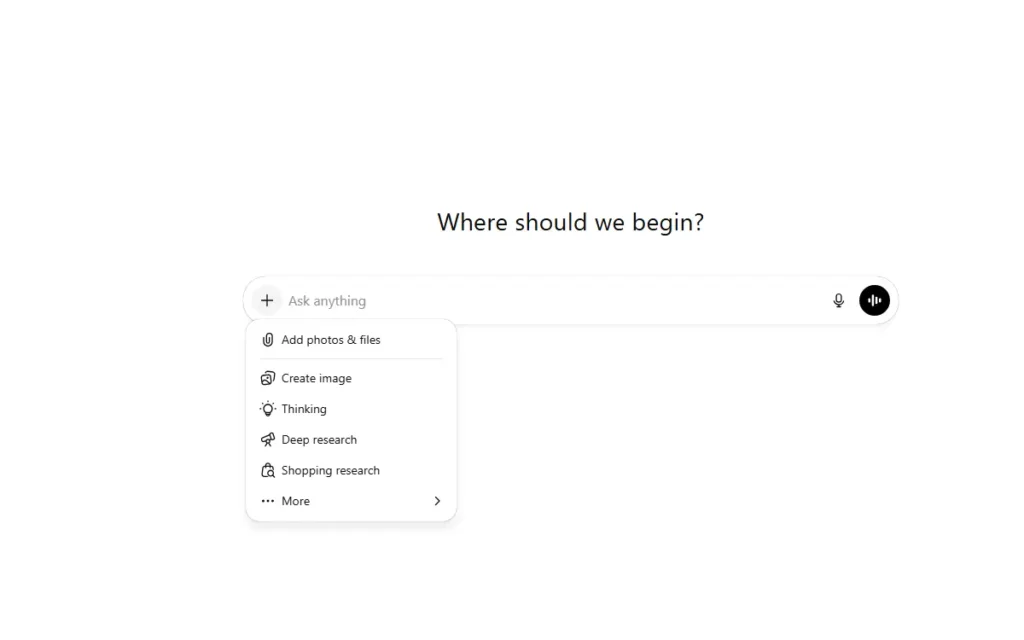
- Amazing Reasoning Capabilities With the new models (such as the o3 series and GPT-5), AI no longer just throws words together randomly. Now, the tool takes its time to “think” before answering, allowing it to outperform many other tools.
- Live Web Search (SearchGPT) AI Assistants has now become a true search engine. It no longer relies solely on its old training data; it can browse news sites, provide source links, and give you information that happened “5 minutes ago.”
- MultimodalityThe tool now sees, hears, and speaks. You can take a photo of a breakdown in your washing machine and ask, “How do I fix this?” (provided the image is clear), or have a full voice conversation to learn a new language with a perfectly natural accent (Advanced Voice Mode).
- The “Canvas” Feature and Memory
- Canvas: A workspace interface that allows you to write articles or code side-by-side with the AI, where you can edit specific parts without rewriting the entire text.
- Memory: ChatGPT remembers the context of your previous work, your writing style, and even your personal preferences, saving you from repeating instructions every time.
Cons: The Dark Side to Watch Out For
Despite all this intelligence, experts and users online have spotted some “logical” gaps:
- The “Fact Gap” (AI Hallucinations) ChatGPT still suffers from “hallucinations.” The biggest issue is that it makes mistakes with “blind confidence.” It might give you economic figures or historical dates that are completely wrong in a very convincing manner, requiring constant human review (especially in free versions).
- Repetitive “Robotic” ToneIf you use it for content writing, you will notice a tendency to use specific phrases that immediately signal “AI” to a reader. Words like “In the changing landscape,” “Furthermore,” or “Exploring horizons” are ChatGPT’s signature footprints that can weaken creative quality.
- “Laziness” in Long TasksSometimes, when asked to write a long report, ChatGPT provides a short summary or asks you to complete the sections yourself (a phenomenon known as Model Laziness). You occasionally need to nudge it with phrases like “write in exhaustive detail” to get what you want.
- Privacy and Cost
- Data: Your data is used for training unless you manually disable this feature.
- Subscriptions: Professional tiers (Plus or Pro) have become expensive (reaching up to $200 for some advanced models), which might not be logical for the average user.
Quick Comparison: ChatGPT vs. Competitors
- Vs. Claude: Claude excels in the “human touch” and creative writing that feels less robotic.
- Vs. Gemini: Gemini wins in integration with Google services (Drive, Docs, Gmail) and its massive context window for huge files. It also offers logical reasoning that sometimes rivals or beats ChatGPT.
ChatGPT experience in image design
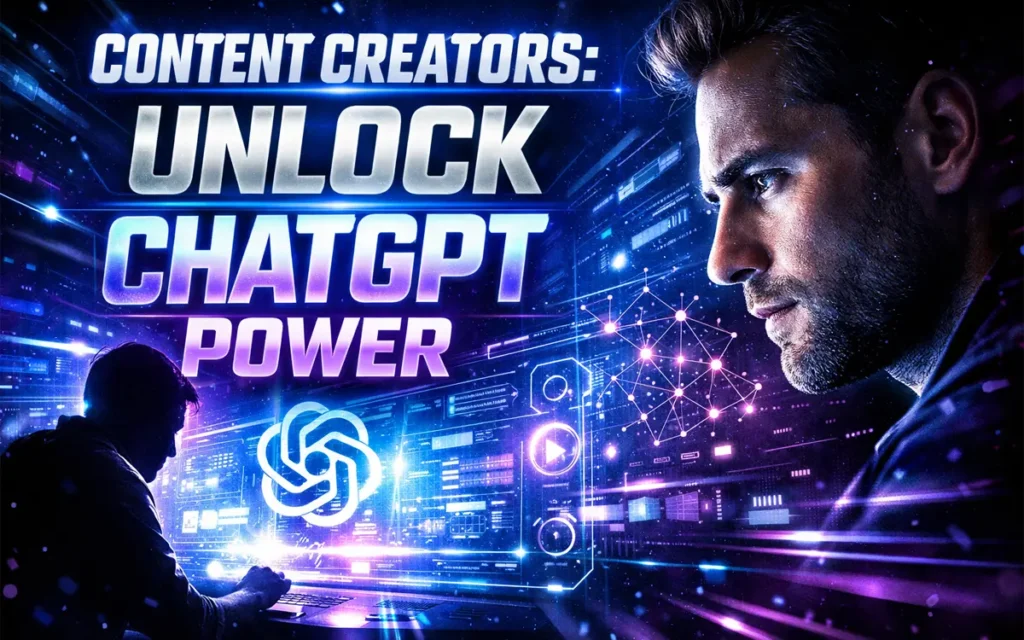
An experiment with ChatGPT in image design. I asked it to design an image for a YouTube channel, and this was the result — not bad. I gave it this prompt:
“Design a dramatic, high-impact YouTube thumbnail for content creators about mastering ChatGPT with professional strategies and insider tips.
Style: cinematic, intense, high contrast lighting.
Show a content creator silhouette or expressive face illuminated by a glowing AI interface screen.
Add dramatic light rays, neon blue and electric purple glow effects, and subtle digital particles in the background.
Include visual elements representing AI intelligence (futuristic HUD overlays, neural network lines, holographic interface).
Bold headline text:
‘CONTENT CREATORS:
UNLOCK CHATGPT POWER’
Use large, bold typography with glow or stroke for maximum readability.
Emphasize urgency and exclusivity (visual feeling of secret knowledge or breakthrough).
16:9 ratio, ultra-sharp, optimized for high CTR, professional YouTube thumbnail.”
How to Use It Like a Pro
Using ChatGPT as a “replacement for your brain” is the biggest mistake. The secret lies in using it as an “accelerator for your work.” It is a jet engine, but it needs a human pilot to steer it toward the right goal.
Golden Tip: If you want accurate search results, use GPT-5o models. If you are solving a complex programming or math problem, switch to “Thinking Mode.”
The Pro Advice
Don’t treat ChatGPT as a “search engine” (like Google); treat it as a “highly intelligent intern.” If you give it a generic command like “Write an article about health,” it will give you a boring result. But if you say: “You are a nutrition expert; write an article for 20-year-olds about the benefits of intermittent fasting in a fun style,” the result will blow you away!
Advantages
- Versatility: It’s not just a “writer.” It can write code, solve complex math problems, or even plan a trip to Japan on a specific budget.
- Analytical ability: Upload a long PDF file or an image of a spreadsheet, and it will summarize it and extract the key information within seconds.
- Fast responses: Compared to its competitors, ChatGPT is very fast at generating answers, especially for simple everyday tasks.
- Mobile app: Their mobile app is considered the best, especially the “voice conversation” feature, which makes you feel like you’re talking to a real person.
Limitations
- Occasional “hallucinations”: Despite its intelligence, ChatGPT may confidently invent information that doesn’t exist
- Privacy concerns: Any information you share may be used to train future models, so avoid sharing professional secrets or sensitive personal data.
Write a Review

Quick star rating.
Similar AI Tools

Claude AI – Coding, Content Creation & Data Analysis Compared.

Poe AI: The All-in-One AI Toolkit That Puts Every Major Model in One Place

Google Gemini AI Review Is It the Smartest AI Assistant for 2026?
